Attaching Payslip Templates to Pay Groups
This section provides an overview of payslip template attachments and discusses how to attach payslip templates to pay groups.
Page Used to Attach Payslip Templates to Pay Groups
| Page Name | Definition Name | Usage |
|---|---|---|
|
GPIN_PYGRP_EXT |
Use to attach a payslip template to a pay group. |
Understanding Payslip Template Attachments
Attach a payslip template to a pay group by using the Link to Pay Group IND page. A pay group can have multiple payslip templates attached at any one time and a single template can be attached to multiple pay groups. Each payslip template is used in conjunction with a particular run type.
Link to Pay Group IND Page
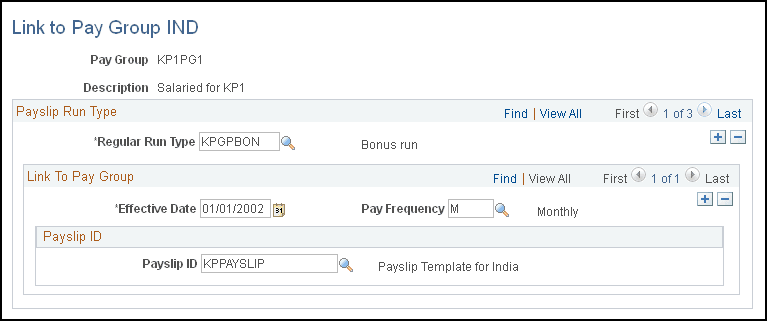
Use the Link to Pay Group IND page (GPIN_PYGRP_EXT) to use to attach a payslip template to a pay group.
Navigation:
This example illustrates the fields and controls on the Link to Pay Group IND page. You can find definitions for the fields and controls later on this page.
| Field or Control | Description |
|---|---|
|
Regular Run Type |
Select the run type. Define run types on the Run Types page. |
|
Pay Frequency |
Select the pay frequency. Define pay frequencies on the Frequency Table page. |
|
Payslip ID |
Select the payslip ID for the payslip templates that you want to link to the pay group. Define payslip IDs on the Template Setup & Accumulators page. |