Implementing My Number of Employees
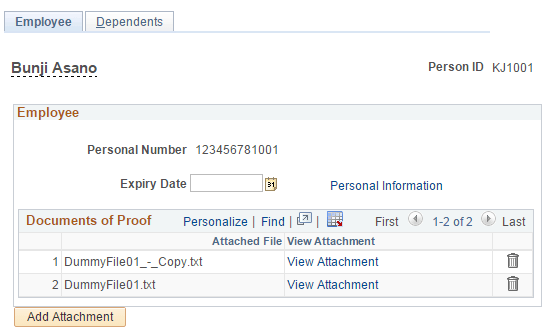
This section covers the pages which are used to maintain the Personal Number Card Expiry Date and upload the documents of proof for employees.
Pages Used to Implement My Number of Employees
| Page Name | Definition Name | Usage |
|---|---|---|
|
PERSONAL_DATA1 |
Enter the personal number if the user is having full access. |
|
|
HR_PERSNO_JPN |
Enter expiry date and upload the proof of documents to the system. |
Biographical Details Page
Use the Biographical Details page (PERSONAL_DATA1) to enter the personal number if the user is having full access.
Navigation:
This example illustrates the fields and controls on the Biographical Details page.
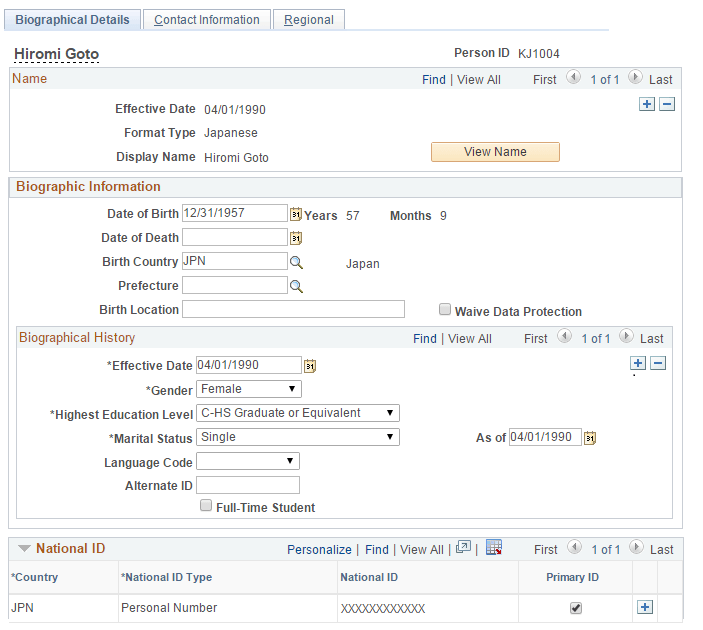
Administrator can enter the Personal Number as a National ID on the Personal Info page. Personal Number is stored in the new PS_PERS_NID_JPN record after application level encryption (if encryption is enabled).