Setting Up File Handles
If you plan to read and write flat files, you must set up file handles. A file handle instructs the application engine program on the file name and character set to use.
This section discusses how to assign file handles.
Page Used to Set Up File Handles
| Page Name | Definition Name | Usage |
|---|---|---|
|
GPJP_FILE_HANDL |
Assign file handles. Assign a handle to each external file that you want to import or export. |
File Handles JPN Page
Use the File Handles JPN page (GPJP_FILE_HANDL) to assign file handles.
Navigation:
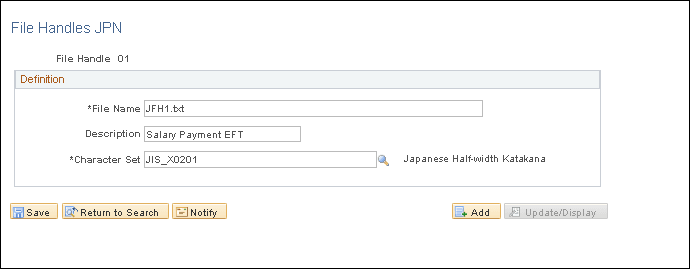
This example illustrates the fields and controls on the File Handles JPN page. You can find definitions for the fields and controls later on this page.
| Field or Control | Description |
|---|---|
|
File Handle |
Assign a unique two-character file handle to each file that you want to import or export. The file handle can be any combination of alphanumeric characters. |
|
File Name |
Enter the exact path (including file name) to the file. Use the proper syntax for your operating system. |
|
Character Set |
Select the character set in which the file is imported or exported. For file handles related to banking, select JIS_X0201. |