Creating Document Details
To create document details, use the Document Details Table USA (GPUS_GRN_DOCTBL) component.
Page Used to Create Document Details
| Page Name | Definition Name | Usage |
|---|---|---|
|
GPUS_GRN_DOCTBL |
Enter garnishment document detail information. |
Document Details Table USA Page
Use the Document Details Table USA page (GPUS_GRN_DOCTBL) to enter garnishment document detail information.
Navigation:
This example illustrates the fields and controls on the Document Details Table USA page.
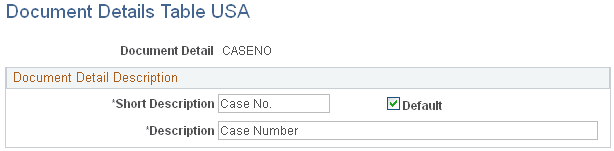
On the Document Details Table page, create garnishment order details to document the garnishment.
Note:
You define fields to record details of a garnishment order on the Document Details Table page; you specify the value of these fields on the Assignment page of the Assign Garnishments USA component (GPUS_GRN) when you assign a garnishment to a payee. For example, you can define a field called Court Name on the Document Detail Table page; then, when you assign a garnishment, you can enter the name of the court that ordered the garnishment.
Note:
Select the Default check box on the Document Details Table page to make a document detail field appear by default on the Assignment page of the Assign Garnishments USA component (GPUS_GRN). Only one default selection can exist.
Related Topics