Reviewing Budget Checking Status Logs
Pages Used to Review Budget Checking Status Logs
| Page Name | Definition Name | Usage |
|---|---|---|
|
HP_RTBC_JOB1_INQ |
Review budget status and encumbrance data for an individual job. |
|
|
HP_RTBC_POS1_INQ |
Review budget status and encumbrance data for an individual position. |
|
|
HP_RTBC_DOC1_INQ |
Review budget status for an individual document. |
|
|
HP_RTBC_JOB2_INQ HP_RTBC_POS2_INQ HP_RTBC_DOC2_INQ |
Review budget check results for an individual document. |
Budget Status by Job Page
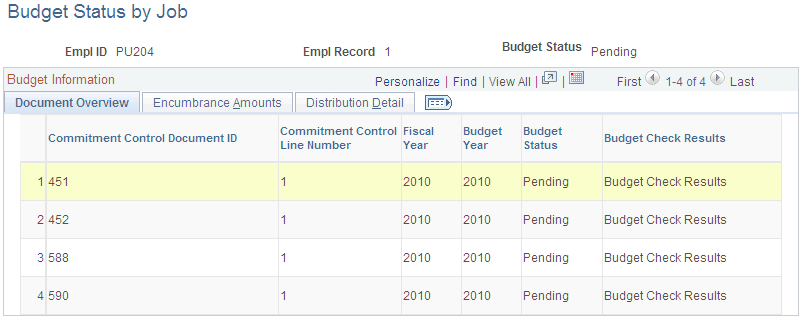
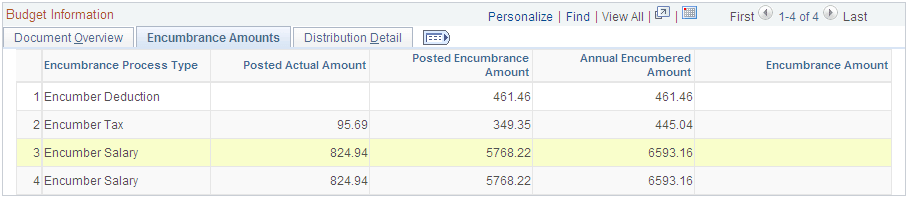
Use the Budget Status by Job page (HP_RTBC_JOB1_INQ) to review budget status and encumbrance data for an individual job.
Navigation:
This example illustrates the fields and controls on the Budget Status by Job page: Document Overview tab.
This example illustrates the fields and controls on the Budget Status by Job page: Encumbrance Amounts tab.
This example illustrates the fields and controls on the Budget Status by Job page: Distribution Detail tab.

Budget Status by Position Page
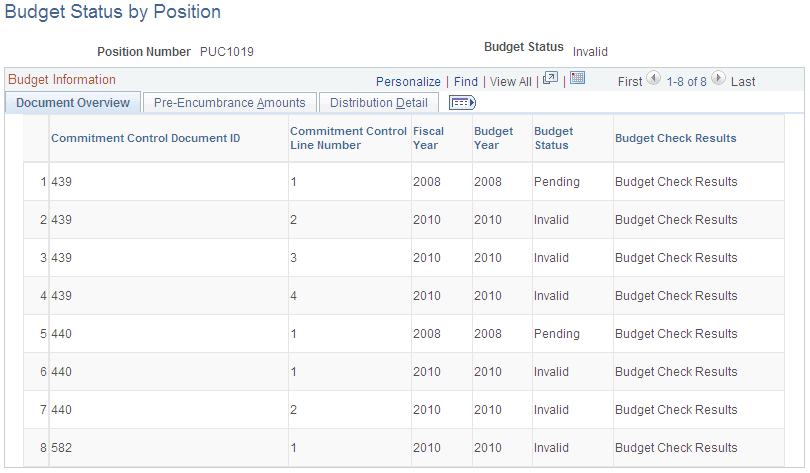
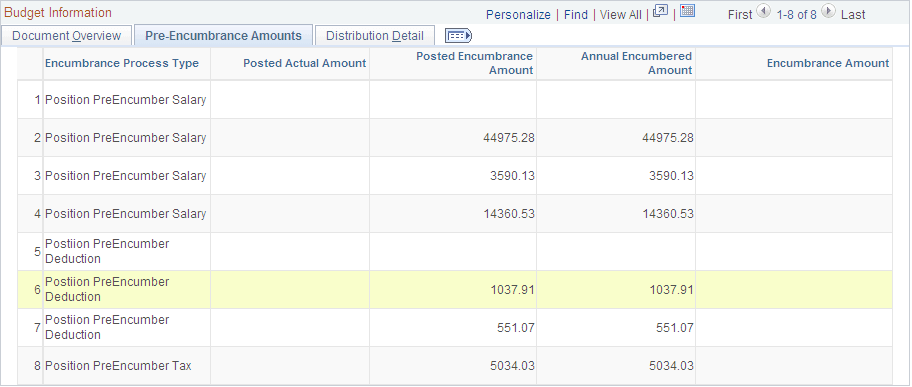
Use the Budget Status by Position page (HP_RTBC_POS1_INQ) to review budget status and encumbrance data for an individual position.
Navigation:
This example illustrates the fields and controls on the Budget Status by Position page: Document Overview tab.
This example illustrates the fields and controls on the Budget Status by Position page: Pre-Encumbrance Amounts tab.
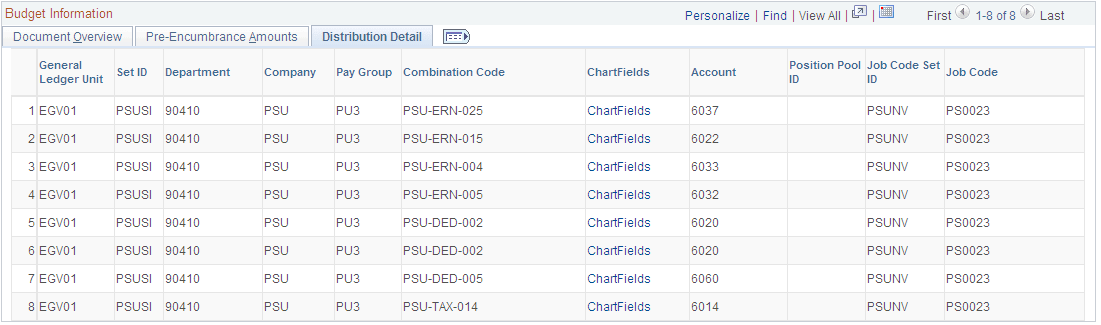
This example illustrates the fields and controls on the Budget Status by Position page: Distribution Detail tab.
Budget Status by Document ID Page
Use the Budget Status by Document ID page (HP_RTBC_DOC1_INQ) to review budget status for an individual document.
Navigation:
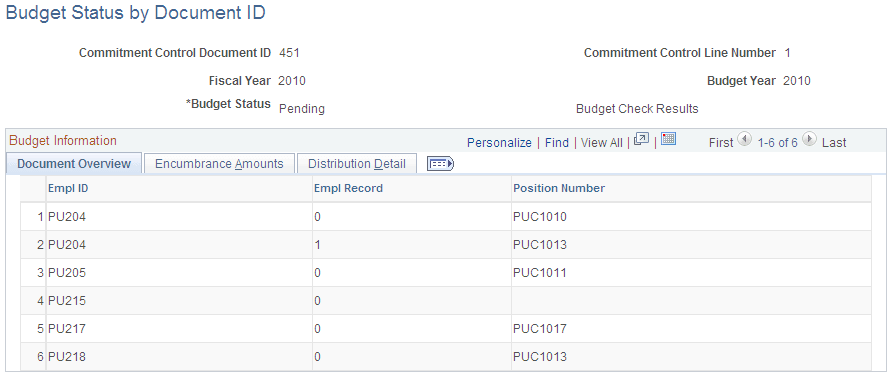
This example illustrates the fields and controls on the Budget Status by Document ID page: Document Overview tab.
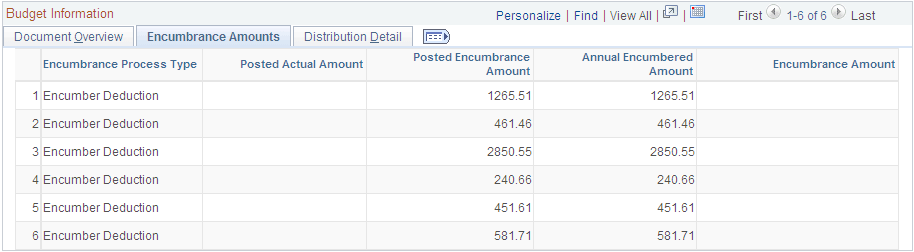
This example illustrates the fields and controls on the Budget Status by Document ID page: Encumbrance Amounts tab.
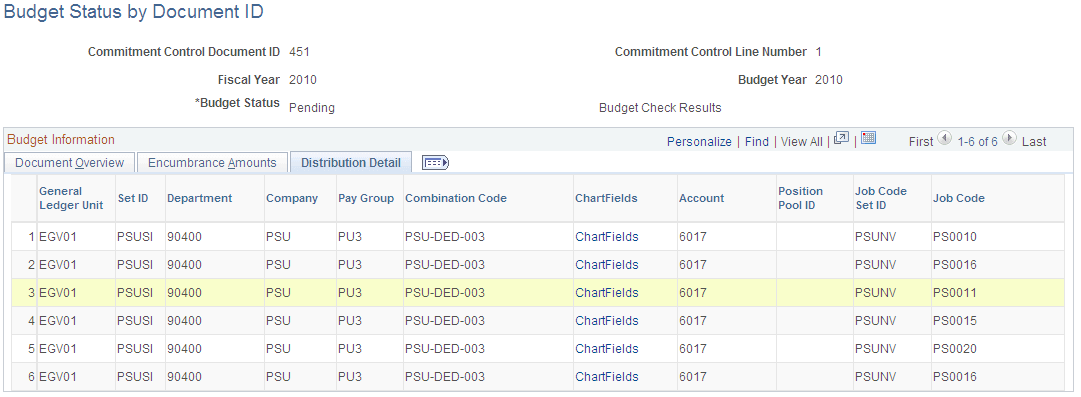
This example illustrates the fields and controls on the Budget Status by Document ID page: Distribution Detail tab.
Budget Check Results Page
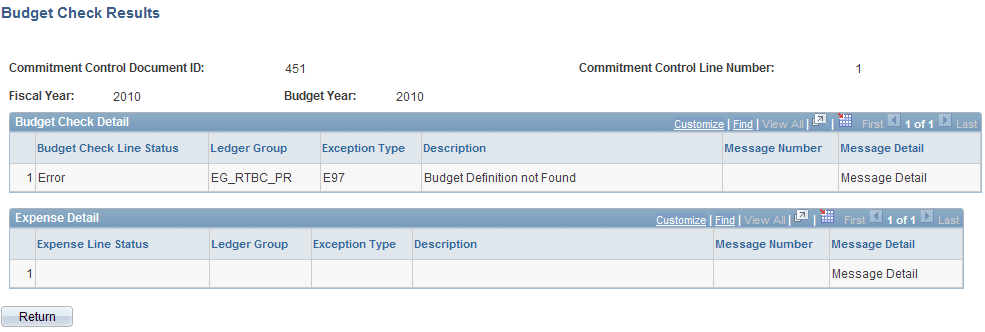
Use the Budget Check Results page (HP_RTBC_JOB2_INQ) to review budget check results for an individual document.
Navigation:
-
Select the Budget Check Results link on the Budget Status by Job page.
-
Select the Budget Check Results link on the Budget Status by Position page.
-
Select the Budget Check Results link on the Budget Status by Document ID page.
This example illustrates the fields and controls on the Budget Check Results page.
| Field or Control | Description |
|---|---|
|
Message Detail |
When there is a link in this column, select the link to review detailed message logs from the budget check. |