Setting Up Contract Pay
To set up contract pay, use the School Schedule Table (HP_SCHOOL_SCHD_TBL), Contract Pay Type (CONTRACT_PAY_TYPE), and Pay Group Table (PAYGROUP_TABLE) components.
Pages Used to Set Up Contract Pay
| Page Name | Definition Name | Usage |
|---|---|---|
|
HP_SCHOOL_SCHD_TBL |
(E&G) Define school schedules to use when calculating the number of work days in a contract. Days during the breaks that you define on the School Schedule page are not considered work days. |
|
|
CONTRACT_PAY_TYPE |
(E&G) Define contract pay types to provide default values for the Contract Pay page, where you set up pay details for a specific employee contract. |
|
|
PAYGRP_TBL3_HP_SEC |
(E&G) Define earnings codes for contract regular, earned not paid, and paid not earned earnings. |
School Schedule Page
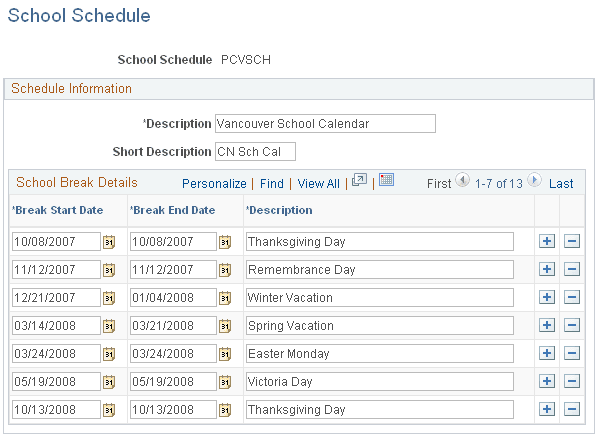
(E&G) Use the School Schedule page (HP_SCHOOL_SCHD_TBL) to define school schedules to use when calculating the number of work days in a contract.
Days during the breaks that you define on the School Schedule page are not considered work days.
Navigation:
This example illustrates the fields and controls on the School Schedule page.
School Break Details
| Field or Control | Description |
|---|---|
|
Break Start Date and Break End Date |
Enter the first and last date of the school break. For one-day breaks, these values are the same. Breaks cannot overlap. A school schedule can cover multiple school years. As your school's schedule becomes available for each new school year, add the break information to the existing school schedule definition. |
Contract Pay Type Page
(E&G) Use the Contract Pay Type page (CONTRACT_PAY_TYPE) to define contract pay types to provide default values for the Contract Pay page, where you set up pay details for a specific employee contract.
Navigation:
This example illustrates the fields and controls on the Contract Pay Type page.
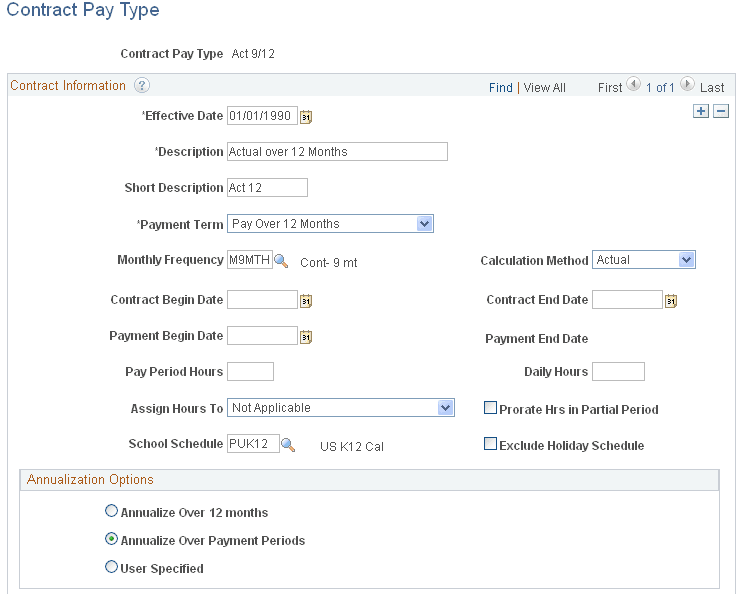
The settings on this page determine the default values of the corresponding fields on the Contract Pay page and the Contract Pay Options page, where you configure payment options for a specific employee contract. Users can override any of these values on the Contract Pay page.
When you create a contract pay type, you must select a default payment term and calculation method. Entering additional default values is optional.
See Contract Pay Page.
Education and Government Additional Earnings Codes Page
(E&G) Use the Education and Government Additional Earnings Codes page (PAYGRP_TBL3_HP_SEC) to define earnings codes for contract regular, earned not paid, and paid not earned earnings.
Navigation:
Select Addl Educ/Govt Earnings Codes on the Calc Parameters page.
This example illustrates the fields and controls on the Education and Government Additional Earnings Codes page.
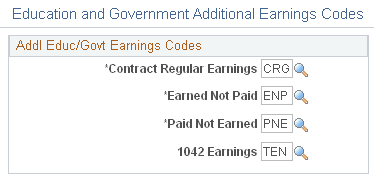
Enter the earnings codes for contract regular earnings, earned not paid and paid not earned