Creating the Export File Separately
To create the export file separately, use the Complete Export to File (PI_RUNCTL_AE) component.
Pages Used to Create the Export File Separately
| Page Name | Definition Name | Usage |
|---|---|---|
|
PI_RUNCTL_AE_PNL |
Select the export file run options and run the P.I. External File I/O Application Engine process (PI_EXTFL) to create the export file separately. Use this page only if you have already run the Export process using the Import/Export Payroll Data page with the Run Select and Compare Only option selected. |
Complete Export to File Page
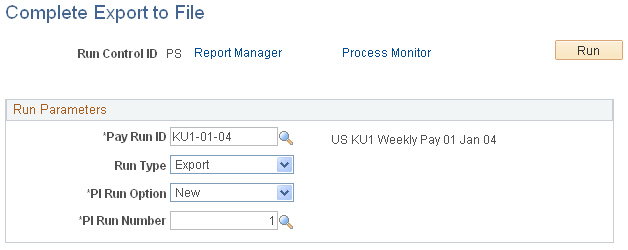
Use the Complete Export to File page (PI_RUNCTL_AE_PNL) to select the export file run options and run the P.I. External File I/O Application Engine process (PI_EXTFL) to create the export file separately.
Navigation:
This example illustrates the fields and controls on the Complete Export to File page.
Note:
Use this page only if you have already run the Export process using the Import/Export Payroll Data page with the Run Select and Compare Only option selected.
| Field or Control | Description |
|---|---|
|
Pay Run ID |
Select the pay run ID of the export run that you want to complete. |
|
Run Type |
Select and enter Export. |
|
PI Run Option(payroll interface run option) |
Select to enter a run option. |
|
Payroll Interface Run Number |
Select to enter the run number that corresponds to the pay run ID. |