Creating a Valuation ID
This topic provides an overview of valuation IDs and discusses how to create a valuation ID.
Page Used to Create the Valuation ID
| Page Name | Definition Name | Usage |
|---|---|---|
|
ST_VALUATION |
Create a valuation ID and link it to a stock's valuation method, estimated variables for the Valuation process, and volatility type. |
Understanding Valuation IDs
A valuation ID links together:
-
The stock that you want to value (Stock ID).
-
The valuation method (single or multiple).
-
The estimate ID that represents the volatility, interest rate, and dividend rate figures that you entered on the Estimate Table page.
-
The volatility type (high, mean, or low) that you deem appropriate for the valuation process.
Volatility types correspond to the estimate ID's high, mean, and low values.
When you run the Valuation process for stock options or stock purchases, you select the valuation ID that you want the system to use.
Valuation Table Page
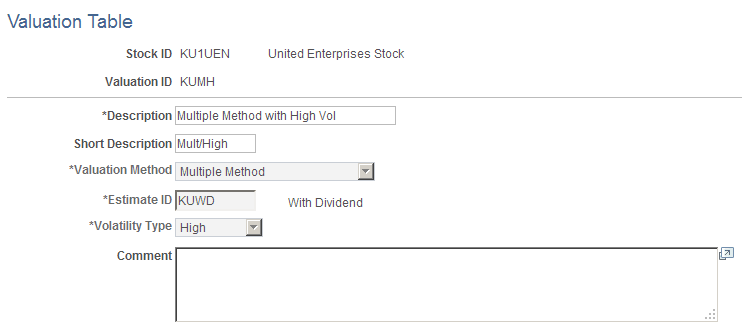
Use the Valuation Table page (ST_VALUATION) to create a valuation ID and link it to a stock's valuation method, estimated variables for the Valuation process, and volatility type.
Navigation:
This example illustrates the Valuation Table page.
You can modify any entries on this page until you confirm the valuation.