Interview Evaluations Page
Use the Interview Evaluations page (HRS_EVAL_SUMM) to review applicants whose interview evaluations you need to complete.
Navigation:
Click the Interview Evaluations link on the My Alerts Pagelet
This example illustrates the Interview Evaluations page.
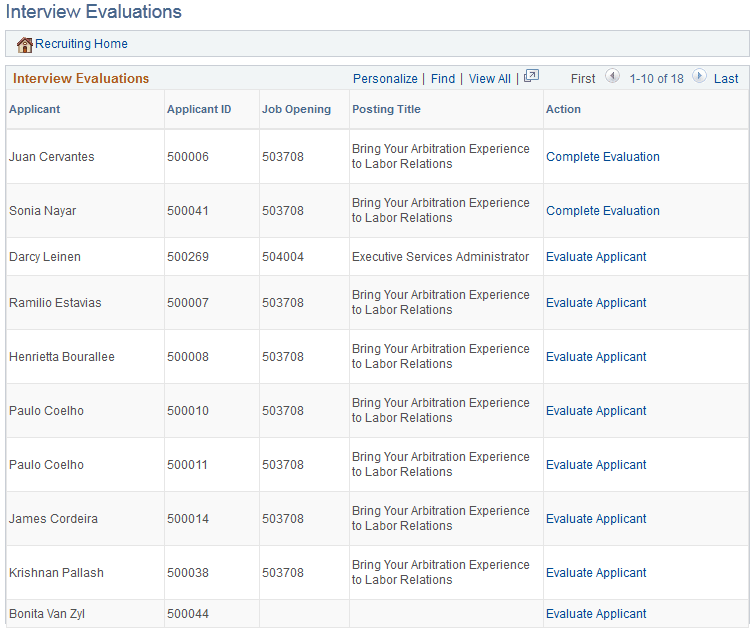
Two types of evaluations appear on this page
-
Evaluations that were saved as draft but not submitted.
-
Evaluations that have not been started for an interview that has already occurred (based on the interview date).
| Field or Control | Description |
|---|---|
|
Applicant and Applicant ID |
These fields display identifying information about the applicant whose interview evaluation is not yet submitted. |
|
Job Opening and Posting Title |
These fields display identifying information about the job opening for which the applicant was interviewed. |
|
Action |
Click this link to open the Interview Evaluation page and enter evaluation information. The link text is Complete Evaluation if you previously saved the evaluation as a draft. The link text is Evaluate Applicant if you have not yet started the evaluation. |