Offers to Prepare Page
Use the Offers to Prepare page (HRS_PSNAPPFOR_LIST) to review a list of applicants who need to have an offer prepared.
Navigation:
Click the Offers to Prepare link on the My Alerts Pagelet
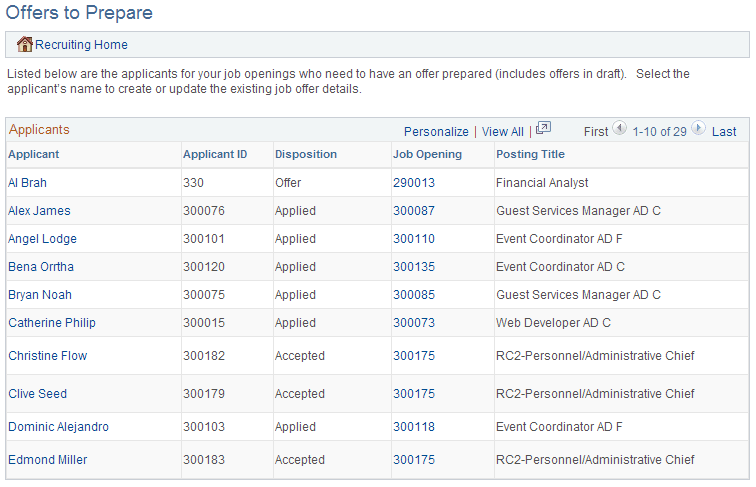
This example illustrates the Offers to Prepare page.
| Field or Control | Description |
|---|---|
|
Applicantand Applicant ID |
These fields display identifying information about the applicant who needs to have an offer prepared. Click the applicant name to access the Manage Applicant page where you can initiate the offer process. |
|
Disposition |
Displays the applicant’s current disposition for the job opening for which the offer is needed. |
|
Job Opening and Posting Title |
These fields display identifying information about the job opening for which the applicant was interviewed. Click the job opening ID to access the Manage Job Opening page where you can initiate the offer process. |