Open Online Job Offers Page
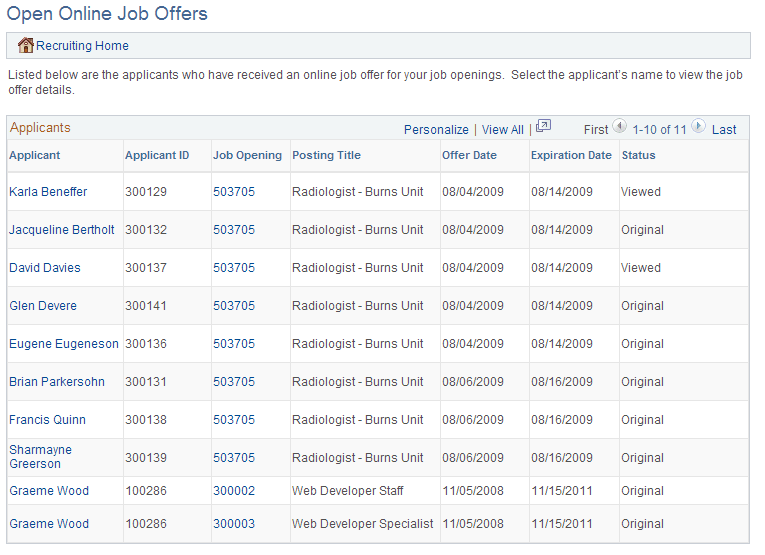
Use the Open Online Job Offers page (HRS_OFFER_OJO_LIST) to review a list of applicants with soon-to-expire online job offers.
Navigation:
Click the Open Online Job Offers link on the My Alerts Pagelet
This example illustrates the Open Online Job Offers page.
| Field or Control | Description |
|---|---|
|
Applicant Name and Applicant ID |
These fields display identifying information about the applicant with the open online job offer. Click the applicant name to access the offer on the Prepare Job Offer page. |
|
Job Opening and Posting Title |
These fields display identifying information about the job opening that is associated with the open offer. Click the job opening ID to access the Manage Job Opening page. |
|
Offer Date |
Displays the date that the offer was extended. |
|
Expiration Date |
Displays the date that the online offer will expire. |
|
Status |
Displays Viewed if the applicant has viewed the online job offer, or displays Original if the applicant has not yet viewed it. |