Questionnaire Requests Page
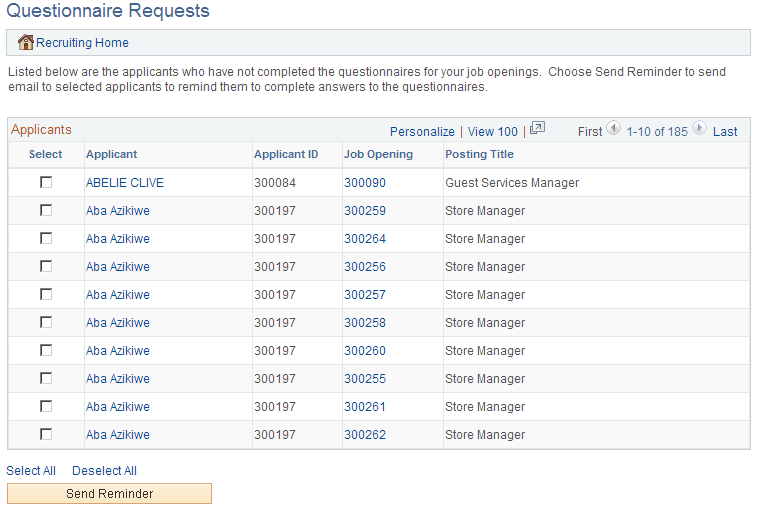
Use the Questionnaire Request page (HRS_PSNAPPFOR_LST) to review a list of applicants who have not completed an online questionnaire after being linked to one of the user's currently open job openings and after being sent a request to complete the questionnaire.
Navigation:
Click the Questionnaire Requests link on the My Alerts Pagelet
This example illustrates the Questionnaire Request page.
| Field or Control | Description |
|---|---|
|
Select |
Use the Select check box to choose which applicants to include when you click the Send Reminder button. |
|
Applicant and Applicant ID |
These fields display identifying information about the applicant. Click the applicant name to access the Manage Applicant page. |
|
Job Opening and Posting Title |
These fields display identifying information about the job opening that the applicant was asked to reapply for. Click the job opening ID to access the Manage Job Opening page. Note: Only job openings with a current status of Open are included in this alert. When the job opening is closed, there is no longer any reason to remind the applicant to submit an application, so the alert disappears from the list. |
|
Send Reminder |
Click the Send Reminder button to send the selected applicants a new invitation to apply for the selected job opening. |