Time to Fill Pagelet
Use the Time to Fill pagelet (HRS_PE_FILL_CHART) to see data related to how long it takes you to fill job openings after the job is posted.
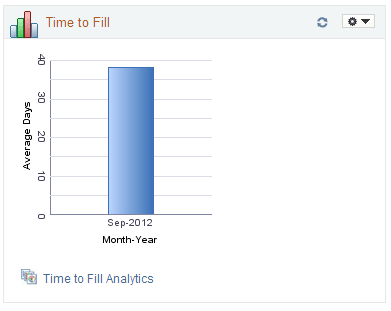
This example illustrates the Time to Fill pagelet.
| Field or Control | Description |
|---|---|
|
<Bar Graph> |
Displays monthly average Time to Fill data for job openings where the user is either a recruiter or a hiring manager. Each bar represents the average Time to Fill for all job openings that were filled in the specified month. The pagelet’s personalization options control the time period covered by the graph. The initial default time period is the three months ending today. A job opening’s Time to Fill is the number of days between the earliest post date for the opening and the date when the job opening status changes to 110 - Filled/Closed. If the job opening was never posted, then Time to Fill is measured from the job opening creation date. Continuous job openings and job openings where the Openings to Fill value is Unlimited Number of Openings are never filled and therefore are not included in the Time to Fill calculation. Clicking the bar for a particular month opens the Pivot Grid Drilldown page, which lists the job openings that were filled that month and shows the Time to Fill for each opening. Note: Users who view this page in screen reader mode are presented with a grid rather than a bar graph. The grid includes a column for the month and a column for the corresponding average Time to Fill. |
|
Time to Fill Analytics |
Click to display a menu listing related pivot grids. The menu includes a single item: Time to Fill. Click this menu item to open the pivot grid. |