Compensatory Time Page
Use the Compensatory Time page (TL_COMPTIME_PNL) to view compensatory time balance and expiration information.
Navigation:
This example illustrates the fields and controls on the Compensatory Time page. You can find definitions for the fields and controls later on this page.
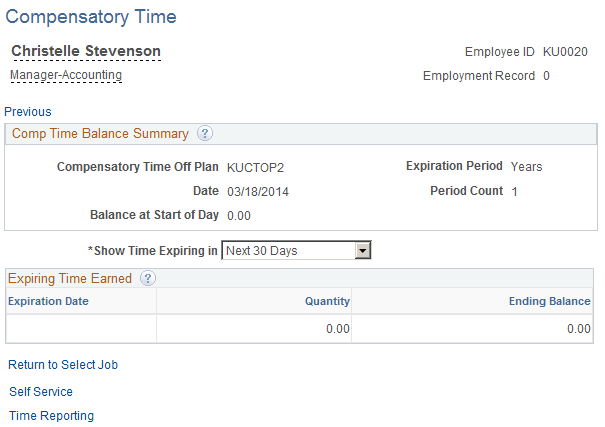
The Compensatory Time page includes the compensatory time balance as of the date specified. This balance may be positive or negative, depending on how the plan is set up and what has been reported.
| Field or Control | Description |
|---|---|
|
Show Time Expiring in |
Select how far in the future you want to view compensatory time expiration information. Once you make a selection, the system displays all compensatory time with an expiration date that meets the criteria. For example, if you select Next 30 days, the system displays all the compensatory time expiring within the next 30 days. If the compensatory time has no expiration date, it doesn't appear here. |
|
Expiration Date |
Displays the date that the employee's reported compensatory time is set to expire. The time expires at midnight of the date specified in this field. |
|
Quantity |
Displays the number of compensatory hours that were originally reported and are set to expire on the date specified in the Expiration Date field. |
|
Ending Balance |
Displays the compensatory time balance at the end of the date specified in the Expiration Date field once the hours have expired. |