Payroll System Options
This section discusses how to set up the payroll options, using the Pay System (TL_PAYSYS_PNLGRP) component.
Page Used to Establish Payroll System Options
| Page Name | Definition Name | Usage |
|---|---|---|
|
TL_PAYSYS_PNL |
Establish the payroll system to use and to choose labor distribution and labor dilution. |
Pay System Page
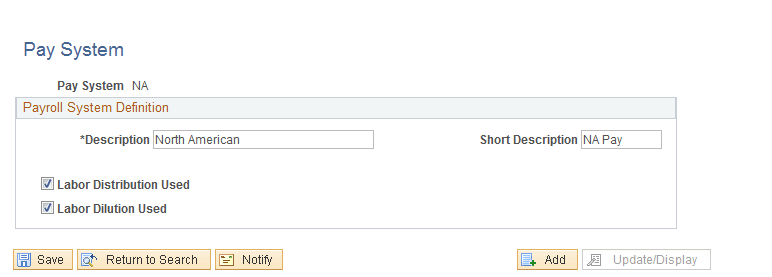
Use the Pay System page (TL_PAYSYS_PNL) to establish the payroll system to use and to choose labor distribution and labor dilution.
Navigation:
This example illustrates the fields and controls on the Pay System page. You can find definitions for the fields and controls later on this page
| Field or Control | Description |
|---|---|
|
Labor Distribution Used |
Clear to disable Time and Labor's labor distribution. The check box is selected by default. When selected, payroll expense is distributed to all applicable Time and Labor earnings and task records. This updated time can then be extracted for additional processing by other applications. If you clear this check box after time has been processed, check for any time that may have currently been labor-distributed. |
|
Labor Dilution Used |
Clear to disable Time and Labor's labor dilution feature. The check box is selected by default. When selected, Time and Labor dilutes distribution to account for time that is paid at different rates, and dilutes labor distribution across all hours, regardless of whether an employee was paid for the time. If you clear this check box after time has been processed, check for any time that may have currently been labor diluted. This check box isn't available unless you select the Labor Distribution Used check box. Labor dilution is run within the Labor Distribution process. |
Related Topics