2.14.5 Configuring the Content URI and Portal URI Node Properties
To configure the content URI and portal URI node properties:
-
Select PeopleTools, Integration Broker, Integration Setup, Node Definitions.
-
Search and open the default local node (PSFT_PA).
-
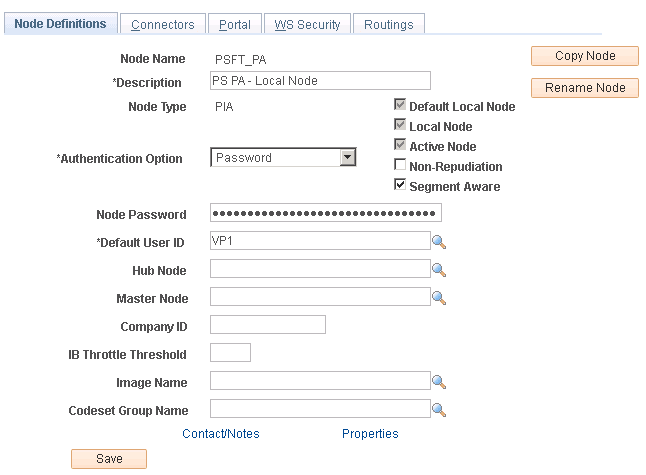
Ensure that the Authentication Option is Password or Certificate, as shown in the example below.
Figure 2-16 Node Definitions page
-
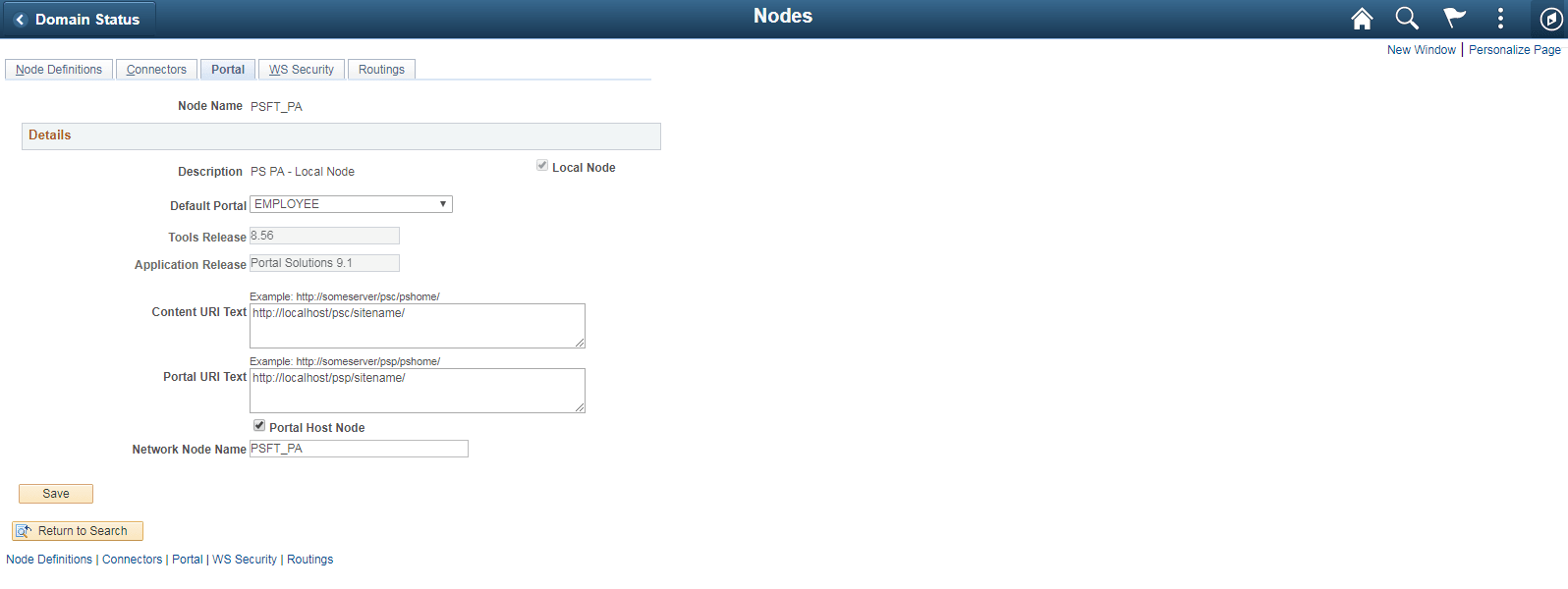
Select the Portal tab and ensure that the Content URI Text and the Portal URI Text are pointing to the Portal Solutions database, as shown in the example below.
Enter the Tools Release.
Figure 2-17 Node Definitions page: Portal tab
-
Select the Portal Host Node check box for portal host nodes such as EMPL/HRMS/ERP/CRM nodes.
-
In the Network Node field enter the corresponding default local node name.
See PeopleTools: Portal Technology, "Defining Portal Nodes."