2.14.4 Configuring the Default User of the ANONYMOUS Node
To configure the default user of the ANONYMOUS node:
-
Select PeopleTools, Integration Broker, Integration Setup, Node Definitions.
-
Search and open the ANONYMOUS node.
-
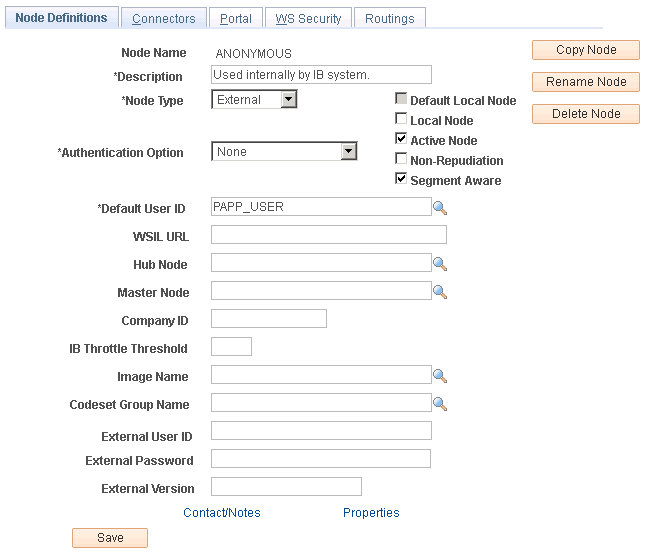
Select the Node Definitions tab and ensure that the Default User ID is a valid user ID with limited privileges, such as the PAPP_USER user, or any other user based on the requirement, as shown in this example:
Figure 2-15 Node Definitions page
For more information on the ANONYMOUS node and the Default UserID, see the PeopleSoft PeopleTools product documentation.
See PeopleTools: PeopleSoft Integration Broker Administration, "Understanding Nodes."