Viewing Cell Properties
Use the Cell Properties page (PTACECELLPROP_SEC) to view cell properties for designated member of the selected dimension.
Navigation:
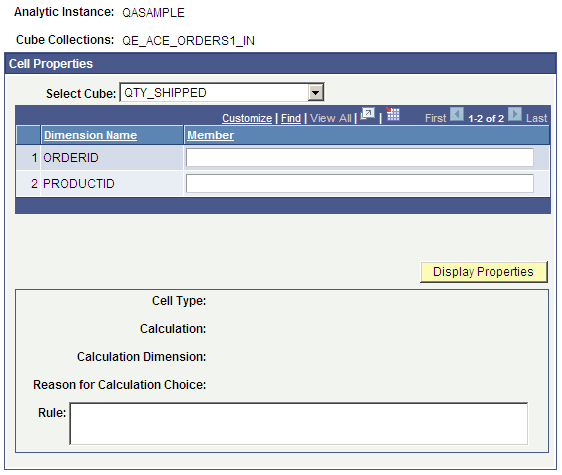
This example illustrates the fields and controls on the Analytic Model Viewer - Cell Properties page. Definitions for the fields and controls appear following the example.
| Field or Control | Description |
|---|---|
|
Select Cube |
Choose which data cube in the selected cube collection you want to view. Note: The Select Cube option is enabled only if you activated the Analytic Model Viewer - Cell Properties page while viewing a cube collection. |
|
Dimension Name |
Displays the names of dimensions attached to the selected cube. |
|
Member |
Enter the member in the selected dimension whose properties you want to view. |
|
Display Properties |
Click to displays the properties—including cell type, calculation, calculation dimensions, reason for calculation choice, and rule—of the selected cell. |
|
Return |
Click to go back to the main page. |
To view cell properties:
-
Select
-
Select a data cube whose properties you want to view.
-
Select the Debugging tab.
-
Click the Cell Properties button.