Viewing Dimension Properties
This topic discusses how to view dimension properties.
See Understanding Dimensions, Creating a New Dimension.
Use the Tree Properties page (PTACETREE_SEC) to view the properties of the tree attached to the selected dimension.
Navigation:
-
Select
-
To view a dimension with a tree attached, select Tree Properties.
This example illustrates the fields and controls on the Analytic Model Viewer - Properties page, Dimension Properties panel. Definitions for the fields and controls appear following the example.
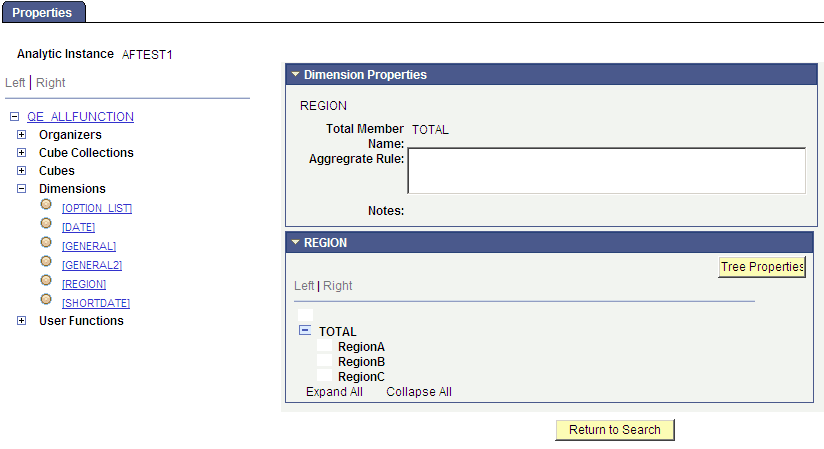
| Field or Control | Description |
|---|---|
|
Total Member Name |
Displays a different value depending on a fairly complex set of factors. |
|
Aggregate Rule |
Displays the user function that calculates the dimension's aggregate fields, if applicable. |
|
Notes |
Lists notes related to this dimension that the developer entered when creating the model. See Entering Notes for an Analytic Model Definition's Parts. |
|
Dimension Members |
Underneath the Dimension Properties panel are the dimension members. In many cases, you see a simple list of dimension members. In some cases, however, a hierarchy has been created for the dimension and you see a tree-like structure. In this case, you open and close each branch and leaf, and see each member of this hierarchy. |
|
Tree Properties |
Click to display a secondary page that displays additional properties of the selected tree, including:
|
To view dimension properties:
-
Select
-
Select a dimension whose properties you want to view.
After you select a dimension in the part browser, a Dimension Properties panel appears showing the properties of the selected dimension.