Deleting Definitions
Deleting a definition is different from removing a definition from a project. When you remove a definition from a project, the reference to the definition is removed from the project, but the definition still exists in the database and, thus, may be part of another project. Deleting a definition, however, permanently removes the definition from the database. Any projects or other definitions that contain the deleted definition are affected.
Before deleting a definition you should find all references to that definition by running the Find Definition References process. For example, a field definition that you want to delete may be referenced by both record and page definitions.
Note:
If you delete a component definition, you must delete all component interfaces that are based on that definition.
Note:
A component definition must contain at least one page. If you attempt to delete a page definition that is the only page definition within a component, the system does not allow the delete to occur and displays an error message. If the page definition is the only page within a component, the error message appears during a File, Delete action or during an upgrade copy to database (with a Delete action).
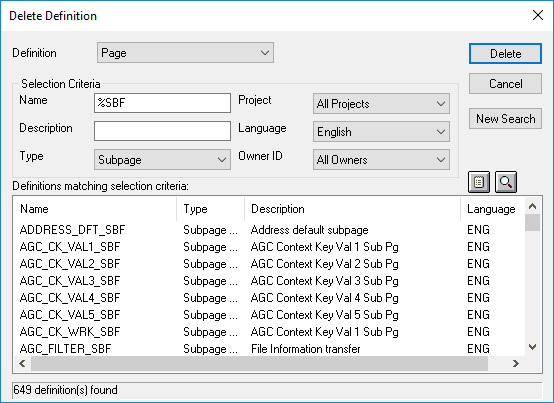
This example illustrates the fields and controls on the Delete Definition dialog box.
To delete a definition from the database:
-
Select
The Delete Definition dialog box looks like the Open Definition dialog box, and you select definitions in exactly the same way.
-
Specify the definition type and any selection criteria that are useful in locating the definition that you want to delete.
After entering either a partial name or description of the definition, press Enter to retrieve a list of definitions matching your selection criteria.
-
Select the definition that you want to delete.
To select multiple definitions, hold down either Shift or Ctrl while clicking the appropriate definitions.
-
Click the Delete button and confirm that you want to delete the selected definition.