Receiving Ad Hoc Notifications Using Notification Configuration
You can configure your notification settings to receive your notifications as an in-app, email, or text notification.
Receiving in-App Notifications
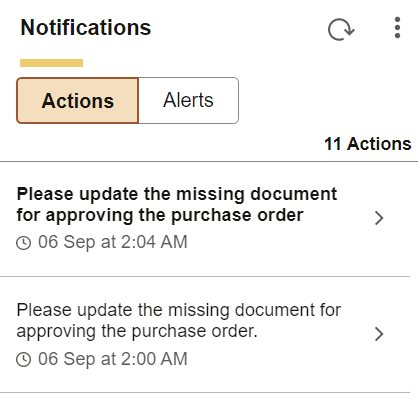
In-App notifications are actionable notifications that appear in the Notifications panel on the homepage. The notification text is the content defined in the Primary Message field on the Notify page. See Sending Ad Hoc Notifications Using Notification Configuration. The notification also contains a link to the underlying transaction page from where the notification is invoked. You can select this link to access the transaction page and take any required action.
The following image illustrates in-app notifications delivered in the Notifications panel on the homepage.
Receiving Email Notifications
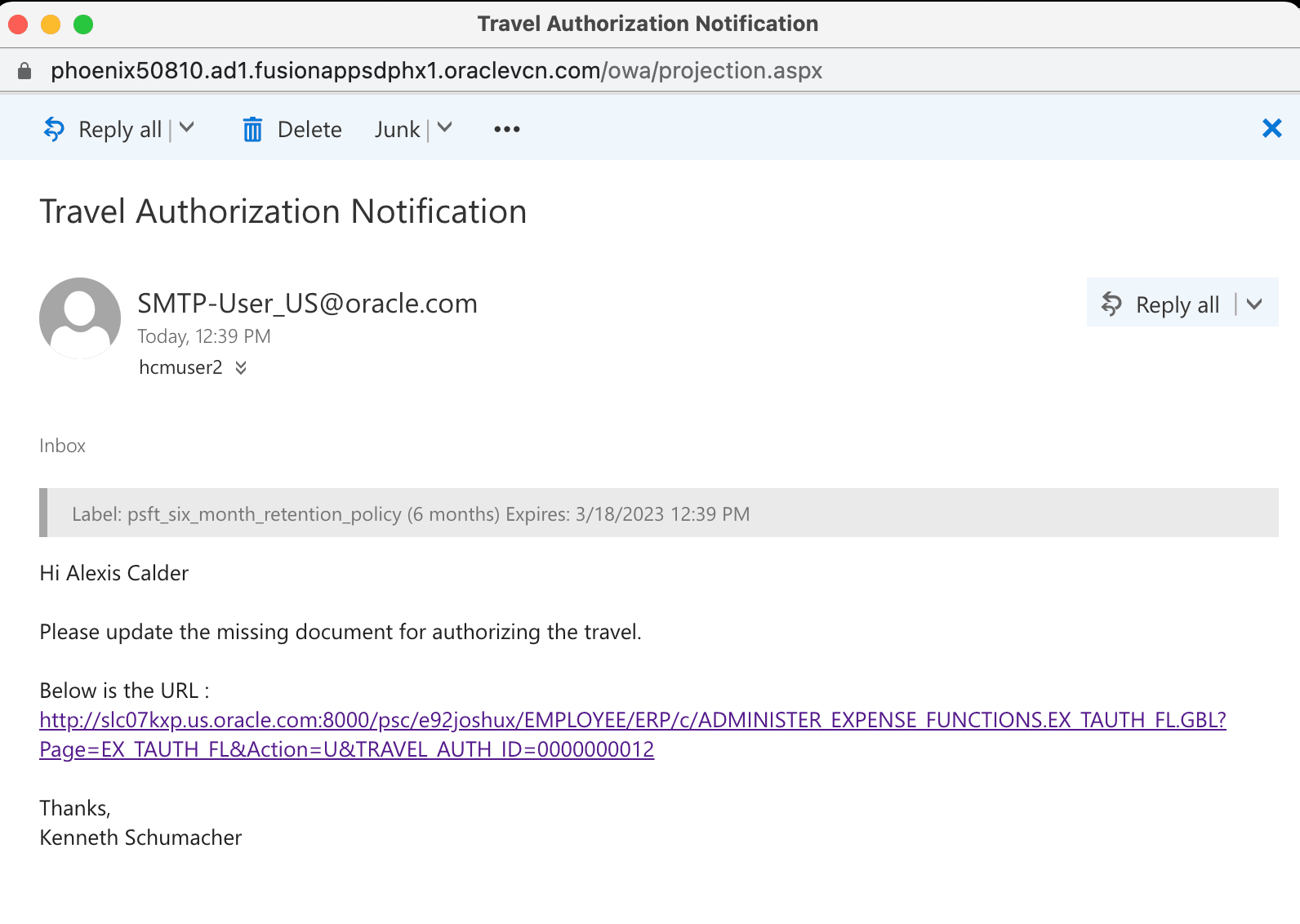
When you receive an email notification, the notification typically includes a link to the PeopleSoft page where you will perform the necessary work. Depending on your business processes, you may need to notify a colleague or supervisor that you have completed the work.
The following example illustrates a notification received by email from a component. In this example, bind variables %Recipient%, %URL%, and %Sender% were used to pick up the details of the recipient, the url of the transaction page, and the sender respectively.
Receiving Text Notifications
A text notification contains the Primary Message defined in the Notify page as well as the link to the underlying transaction page from where the Notify option is invoked. See Sending Ad Hoc Notifications Using Notification Configuration. Select the link to access the transaction page and take any required action.