Understanding Fluid Dashboards
A fluid dashboard is the fluid equivalent of a classic dashboard. Similar to classic dashboards, fluid dashboards do not appear automatically after sign in; instead, you access a fluid dashboard by clicking a content reference link, which can appear anywhere in the menu structure. Similar to a fluid homepage, a fluid dashboard aggregates related information and displays tiles that can provide both snapshots of actionable information as well as navigation to other applications. A fluid dashboard and the tiles it displays typically share a common purpose or apply to a specific role, such as employee, manager, clerk, and so on. While you can personalize a fluid dashboard, you can add only those tiles that have been configured for use on the dashboard by the dashboard administrator.
Based on your business requirements, Dashboard Administrators can group tiles into sections and create sectionalized dashboards. See Understanding Fluid Sectionalized Homepages and Dashboards.
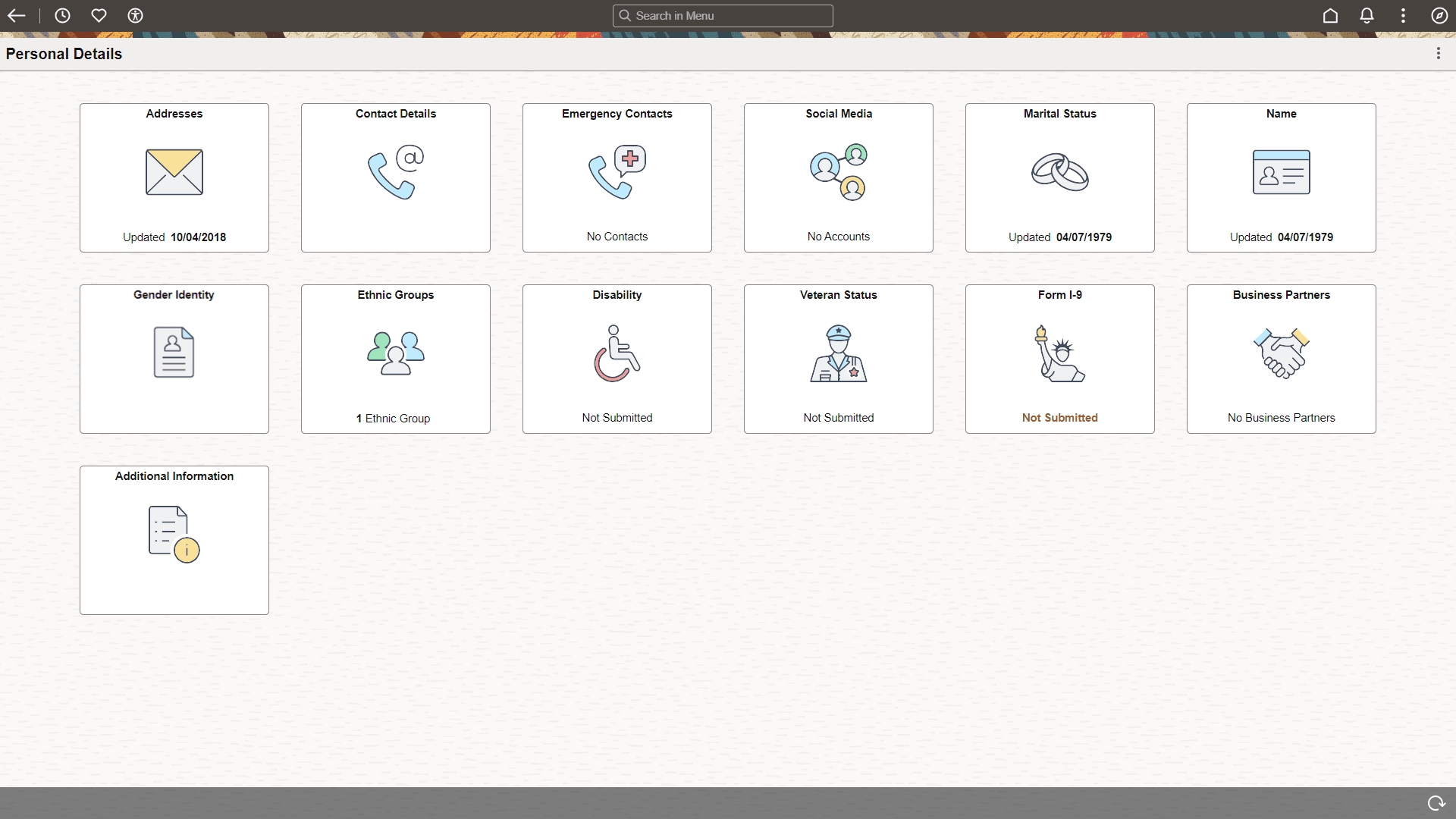
This example illustrates the appearance of a standard fluid dashboard. For descriptions of the usage of the controls in the fluid banner at the top of the dashboard, see Working with Fluid Homepage Controls.
Delivered Dashboards
This table lists PeopleTools-delivered dashboards:
| Dashboard | Link to Product Documentation |
|---|---|
|
My Update Manager Dashboard |
See Change Assistant and Update Manager: Update Manager Dashboard Overview |
|
Update Manager |
See Change Assistant and Update Manager: Update Manager Dashboard Overview |