Understanding Fluid Homepages
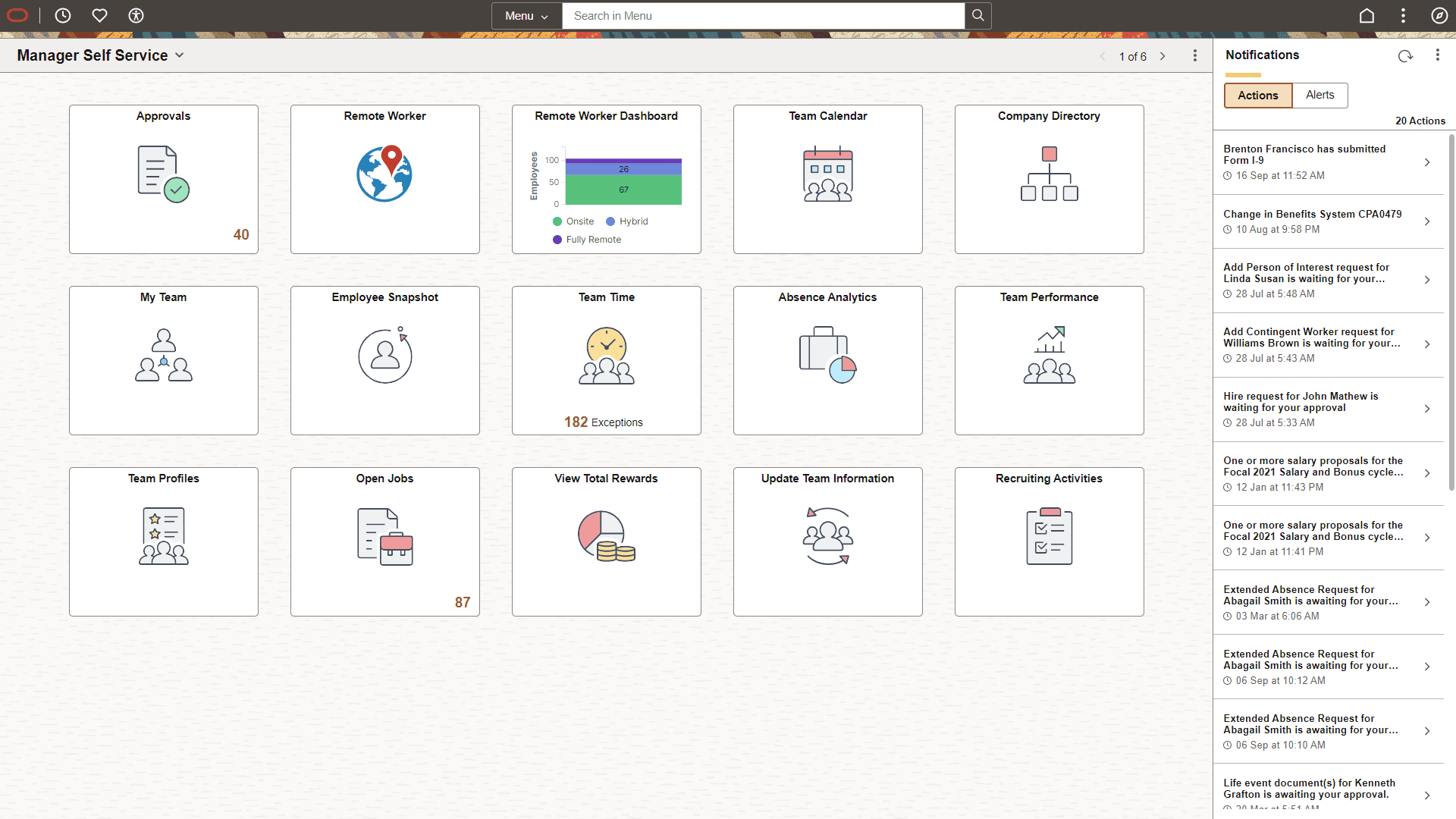
A fluid homepage is a PeopleSoft page that aggregates related information and displays tiles that can provide both snapshots of actionable information as well as navigation to fluid applications. A fluid homepage is displayed when you sign in to a PeopleSoft system. Fluid homepages are the equivalent of classic homepages; similarly, tiles can be compared to pagelets used in classic homepages.
A fluid homepage and the tiles it displays typically share a common purpose or apply to a specific role, such as employee, manager, clerk, and so on. When working with tiles on a homepage, you can select (click or tap) the tile to access the underlying application and perform routine tasks. Tiles typically have a graphic on them, portraying the purpose of the underlying application, which helps you to identify the tile and associate it with the application. Some tiles also display up-to-date information, making you aware of high-level information for decision making or monitoring.
Based on your business requirements, Portal Administrators can group tiles into sections and create sectionalized homepages. See Understanding Fluid Sectionalized Homepages and Dashboards.
This example illustrates the appearance of a fluid standard homepage with a number of tiles that you can select to view information or complete a task. For descriptions of the elements and usage of the homepage, see Working with Fluid Homepage Controls.
Understanding Tiles
Tiles can be compared to pagelets, which are available on classic homepages. Tiles provide:
-
Quick navigational access to targeted transactions.
-
An overview of the status of a transaction (for example, your last pay date, the number of approvals requiring your attention, and so on).
-
A graphical overview of a pivot grid or PeopleSoft Insights dashboard.
When working with tiles, consider:
-
Any number of tiles can be added to a fluid homepage; dashboards are limited to just those tiles made available by the dashboard administrator.
-
You can personalize fluid homepages and dashboards by adding, deleting, and moving tiles.
-
Tiles can be used to link to fluid applications or classic applications.