Using Autocomplete to Suggest Valid Values
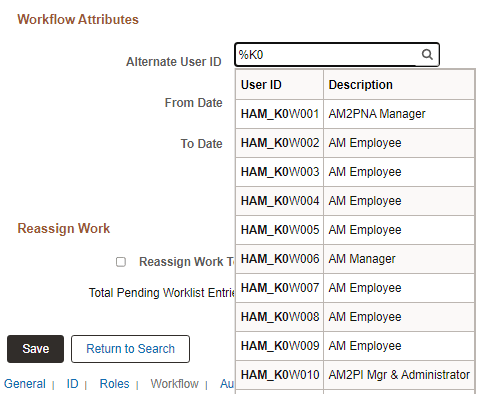
Autocomplete (sometimes referred to as “type ahead”) provides a list of suggestions that match the data you enter in edit and prompt fields. Autocomplete lists can appear for two types of fields:
-
Edit fields on search pages.
-
Prompt fields.
Autocomplete fields support the use of the % and _ wildcard characters.
Edit Fields on Search Pages
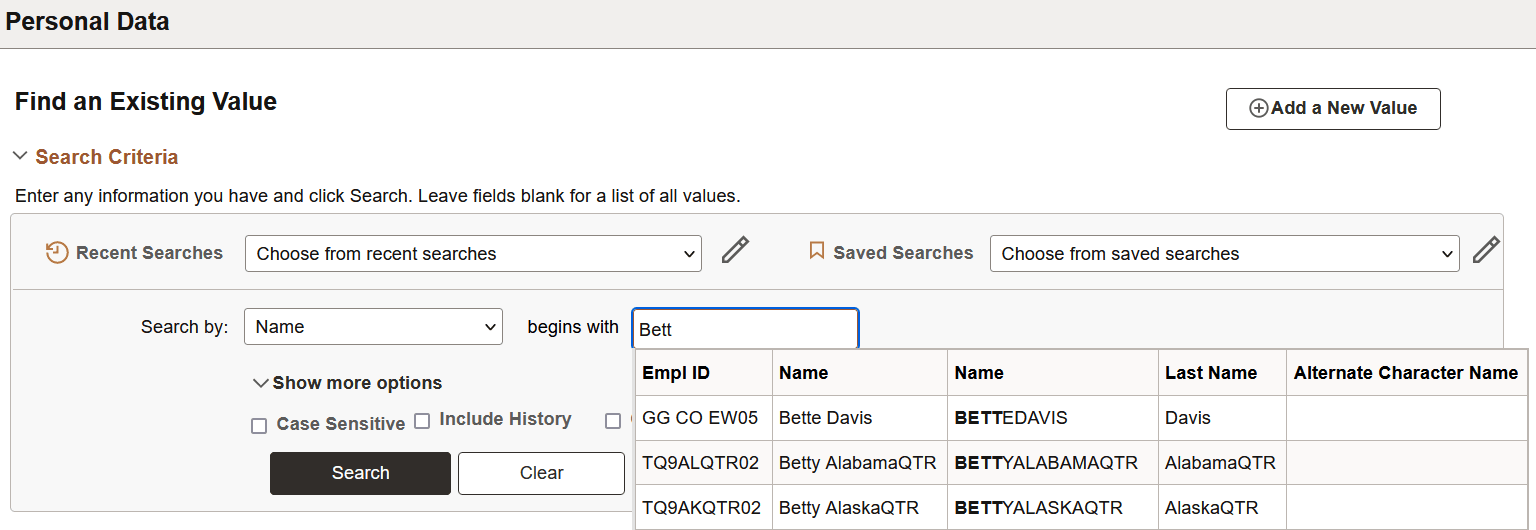
When a search record field is autocomplete-enabled, as you type a letter into the field, and then pause, the autocomplete list appears and shows you values that match the letters you have entered to this point. The system returns the maximum number of allowed values, but it shows you a subset in the autocomplete window. An administrator sets the list limit, the list limit default is 50.
This example illustrates an autocomplete list.
Prompt Fields
All prompt fields are autocomplete capable. When you enter data in a prompt field, the autocomplete results can vary slightly because you can configure the list to display up to five additional columns to assist in choosing the correct value.
This example shows an autocomplete list for the Role Name field.
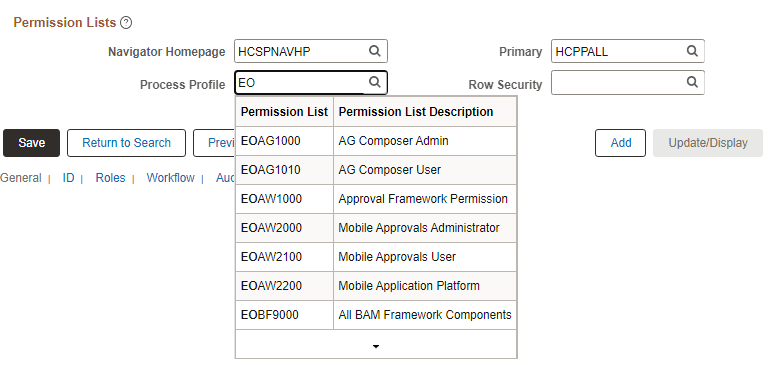
The following example illustrates autocomplete on a prompt field. Both the % and _ wildcard characters were used to generate this autocomplete list.