Working with Tiles on Small Form Factor Devices
Tiles are the navigational and display construct created specifically for small form factor devices such as smartphones. Tiles provide application content from PeopleSoft systems and other sources. Designed to be more than just a navigation button, a tile leverages the ability to display dynamic information from PeopleSoft components, pivot grids, and other information sources.
Note:
A tile is conceptually similar to a pagelet, previously delivered on PeopleSoft classic homepages.
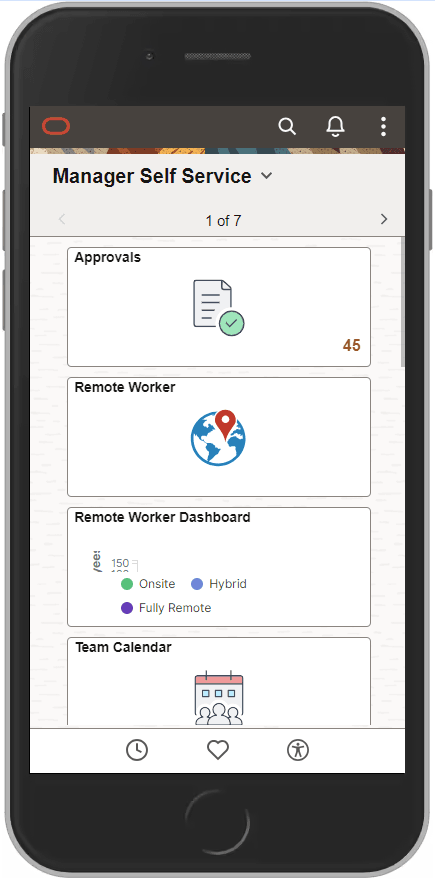
This example illustrates the layout of tiles in a single column on a smartphone in portrait orientation.
Note:
On a smartphone, the quick access bar is displayed at the bottom of the page. See Using the Quick Access Bar for more information.
Note:
On small form factor devices, the Accessibility button is available only on the homepage.
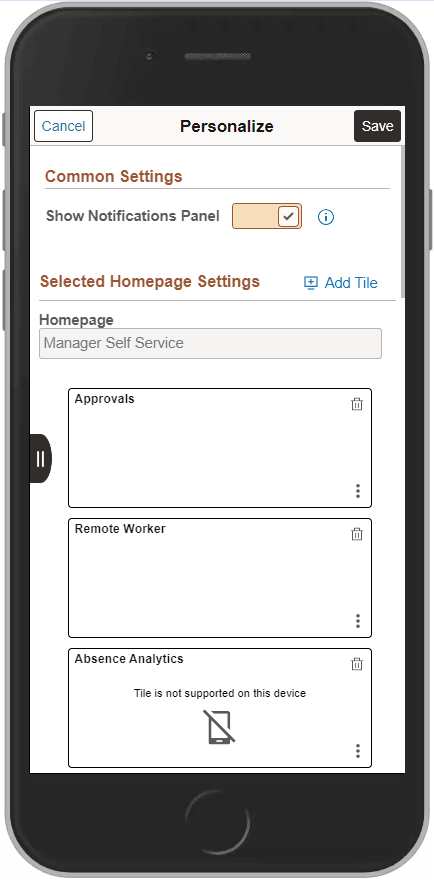
However, not all tiles appear on fluid homepages or dashboards when accessed by small form factor devices such as smartphones. For instance, if the application tile would not be suitable to be displayed on a smaller device—many classic applications, for example—the tile is not designated as “optimized” for small form factor. When you use the Add To Homepage feature on a classic page, the tiles you add in this ad hoc manner are not optimized for small form factor. From the Personalize page, you can determine which tiles will not display on a smartphone by looking for the following icon and message on the tile:
| Term | Definition |
|---|---|
|
|
Tile is not supported on this device |

This example illustrates the Personalize homepage page when accessed by a smartphone. Note that the system is indicating that the Absence Analytics tile will not be displayed on the homepage when accessed by a smartphone.