Reviewing the Configuration Details
Use the Configuration Details page to review the configuration details after running a template and to review the errors that caused a configuration to fail.
To view the Configuration Details page, click the Details icon on the Configuration Monitor page.
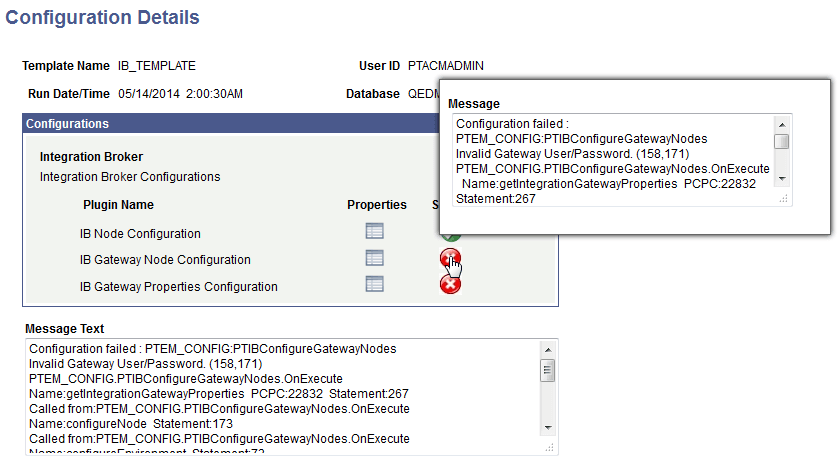
This example illustrates the fields and controls on the Configuration Details page. You can find definitions for the fields and controls later on this page.
| Field or Control | Description |
|---|---|
|
|
Indicates a successful configuration. |
|
|
Click the Properties icon to display a read-only listing of property values for the selected plug-in. |
|
|
Hover on the error status icon to view details of the failed configuration. |
|
|
Indicates that the verification of configuration failed. |


