Running Functional Validation
Configuring all of the elements of the various products within the PeopleTools infrastructure can become complex when you consider the dependency a product may have with another product. For example, in order to configure the PeopleSoft Search Framework, you must first configure Integration Broker. Likewise, even within a product itself, there are various elements that depend on each other. It is not only required that these elements be configured, but it is also important that these elements are performing successfully. Running the functional validation test ensures that a product element is not only configured, but operational too.
For example, with Integration Broker once the gateway configuration is complete, it is expected that the gateway is active and the nodes added to the gateway can be pinged. Building in tests for these types of configurations ensures that the functionality is tested along with automating the configuration.
PeopleTools tests selected elements of a configuration as the element is being configured. For example, the automated system adds a node to the Integration Broker gateway, the following checks are made to validate the configuration:
-
Ping node: The check is made as to verify if the node present in the database pings successfully.
-
Ping gateway: The check is made to ensure that the gateway configured is up and active.
-
Ping gateway node: The node added to the gateway is checked to verify if it pings successfully.
You can view the verification report on the Configuration Monitor page with each run of a template. The report consists of the tests performed while configuring the environment to ensure the correctness of the configuration for that template.
You can also verify a configuration after the configuration run by clicking the Functional Validation button on the Configuration Template Definition page. View the verification report on the Configuration Monitor page.
This example illustrates the execution type (ExecType) to identify when looking for functional validation reports.

To view the validation report, click the Details icon for your request, which you can identify by the template name and using the ExecType column, which will display Validation.
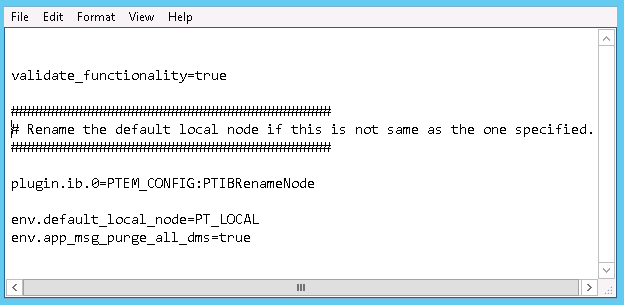
The Functional Validation process can also be performed from command line. In the property file which is provided as input on the command line, enter this property:
validate_functionality = trueFor example:
This example illustrates adding functional validation to a template file for command line execution.
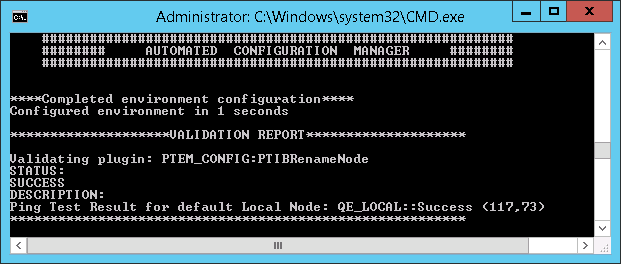
This example illustrates a sample output after running functional validation at the command line.