Installing Additional Languages
To install additional languages on the PUM source, select the Install button.
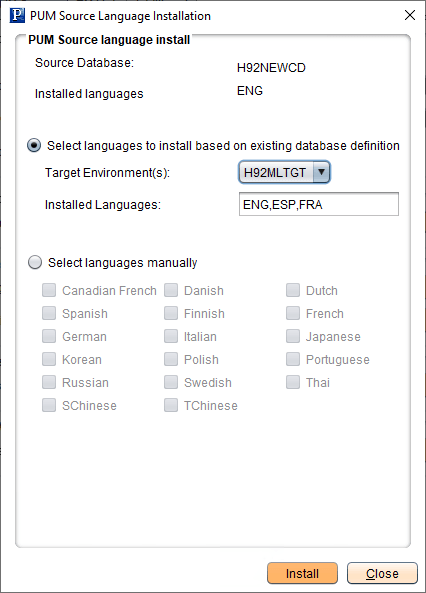
This example illustrates the fields and controls on the PUM Source Language Installation page. You can find definitions for the fields and controls later on this page.
| Field or Control | Description |
|---|---|
|
Select language to install based on existing database definition |
Select this radio button if you have defined a target database that includes additional languages. When you select the target environment, the installed languages will be displayed. |
|
Select languages manually |
Select this radio button to manually select the languages to install. |