Merging Change Packages
The following restrictions apply to merging change packages.
-
Change Packages must have same target database.
-
Change Package definition must have a status of complete or incomplete,
-
Change Package type is Update(PUM).
-
Change Package is defined, but not created in Change Assistant.
To merge change packages:
-
From the Update Manager Dashboard select the target database.
-
Expand Update Manager Utilities and select Merge Change Packages.
-
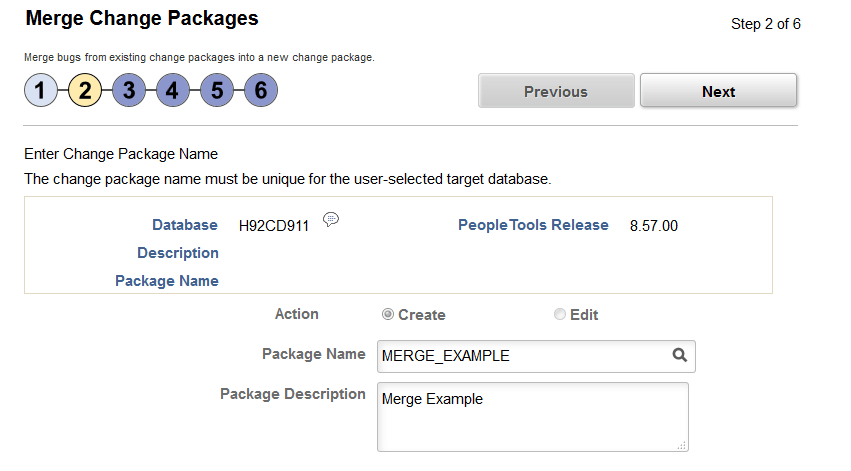
On Step 2 of 6, Create is selected by default and is the only option available. Enter the package name and description.
-
Click Next.
-
On Step 3 of 6, select the packages to merge.
-
Click Next.
Note:
Step 4 of 6 is skipped.
-
On Step 5 of 6 review the bugs.
-
Click Next. You will receive a message that there are overlapping packages, click OK.
-
Step 6 of 6 indicates the change package was successfully created.
Navigation:
Select
This example illustrates the fields and controls on the Merge Change Packages Step 2 of 6 page. You can find definitions for the fields and controls later on this page.
| Field or Control | Description |
|---|---|
|
Action |
Create is the only available option. |
|
Package Name |
Enter a name for your merged change package. |