Scheduling Update Jobs
From the Update Manager Homepage, select the Update Scheduler tile.
The first time you access the Manage jobs page no jobs will be defined. Use the Define Job button to define jobs. See Defining Jobs.
This example illustrates the fields and controls on the Manage Jobs when no jobs have been defined.

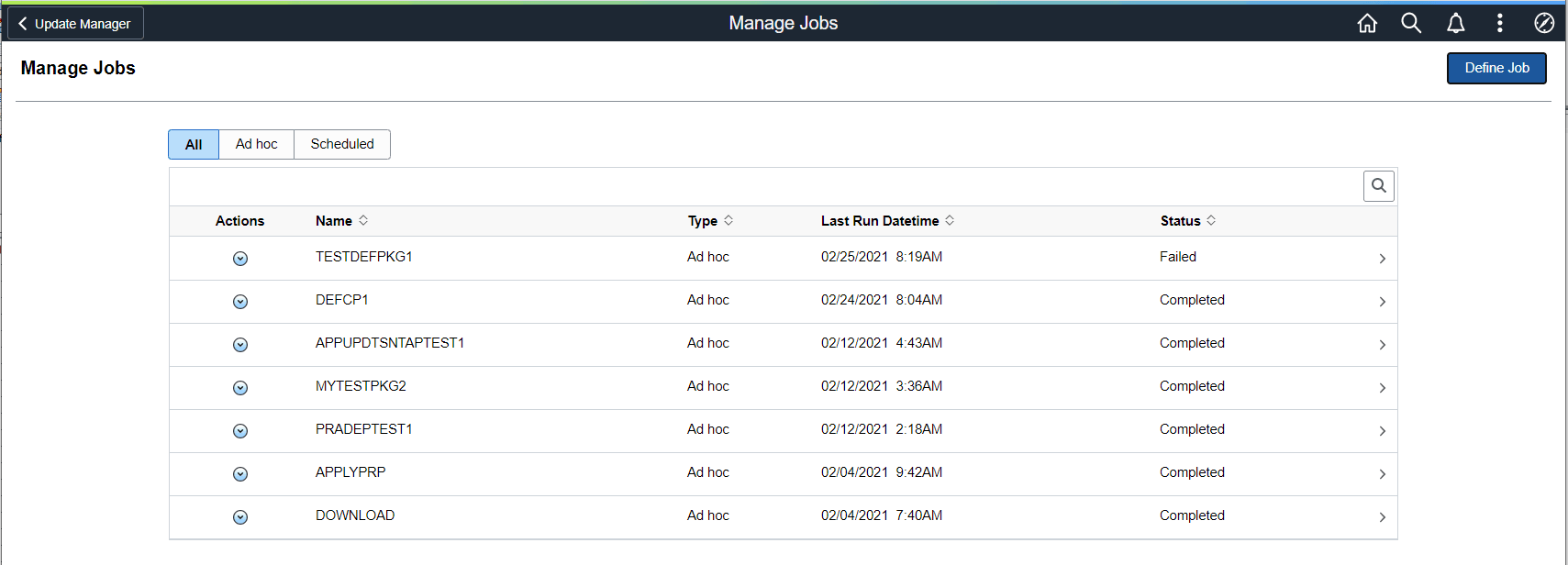
After job have been defined and scheduled or run, the Manage Jobs page will display the Job Status.
This example illustrates the fields and controls on the Manage Jobs page. You can find definitions for the fields and controls later on this page.
| Field or Control | Description |
|---|---|
|
Actions |
Actions include:
|
|
> |
Use the > icon to view the Job Monitor. The Job Monitor can also be accessed by clicking the row. For details, refer Viewing Job Monitor |