Selecting Specific Bugs
Select the Specific Bugs link.
Note:
Specific bugs can be combined with bugs using any of the other search criteria options.
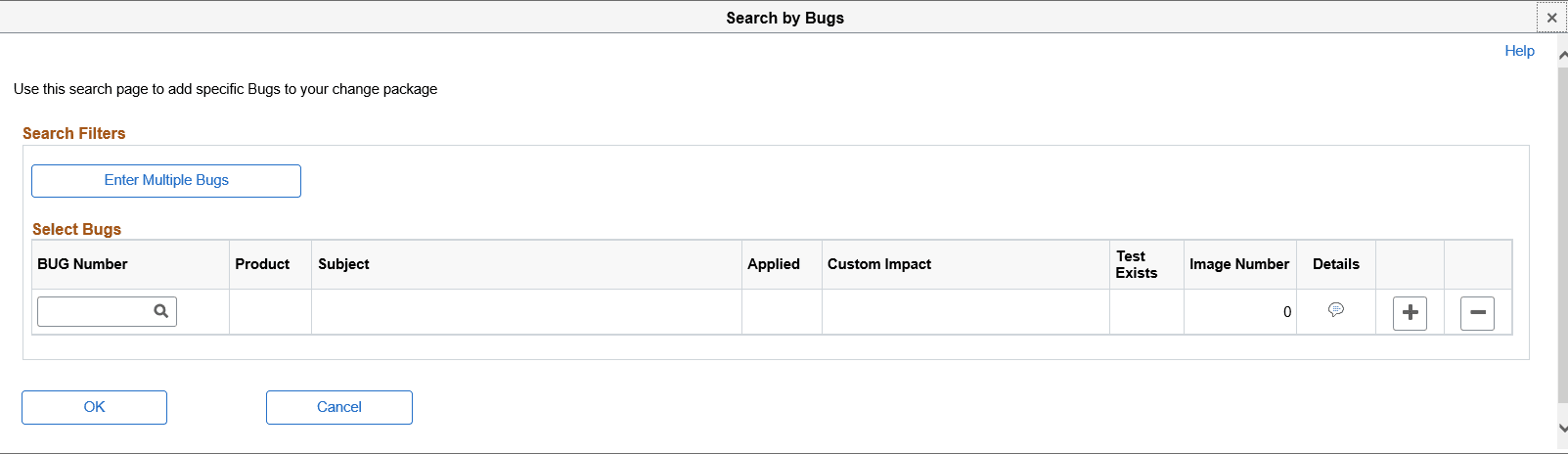
This example illustrates the fields and controls on the Search by Bugs page. You can find definitions for the fields and controls later on this page.
| Field or Control | Description |
|---|---|
|
Enter Multiple Bug Numbers |
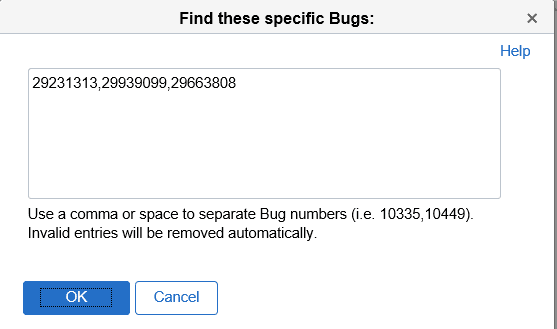
Use this link to open a model window where you can enter the specific bugs. Use a comma or space to separate Bug numbers. |
|
Bug Number |
Use the lookup icon to select specific bugs. Add additional rows as needed. |
|
Product |
The product from the bug will be displayed as read only. |
|
Subject |
The subject from the bug will be displayed as read only. |
This example illustrates the fields and controls on the Find these specific Bugs page that opens when Enter Multiple Bug Numbers is selected. You can find definitions for the fields and controls later on this page.
Once you have selected the updates, click Next.