Setting Global Payroll Options
Global Payroll (GP) application engine processes include:
-
GP-Import Rule
-
GP-Compare Rule
-
GP-Compare Rule AE Report
-
GP-Upgrade Rule
-
GP-Import Non Rule
-
GP-Compare Non Rule
-
GP-Upgrade Non Rule
To set the AE run control options:
-
Insert a new step in the template and select Type ApplicationEngineWithRunControl or open an existing step with the type ApplicationEngineWithRunControl.
-
Make sure the orientation is set correctly.
-
Source is used for Copy to File.
-
Target is used for Compare From File and Copy From File.
-
-
Click the Options button.
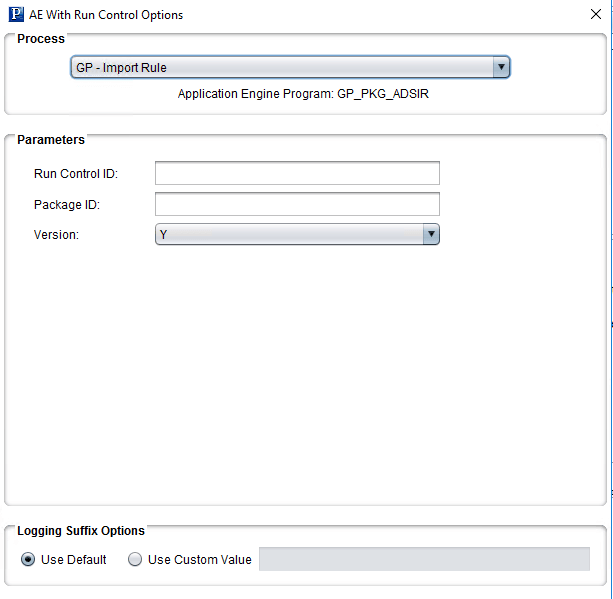
This example illustrates the fields and controls on the AE With Run Control Options page. You can find definitions for the fields and controls later on this page.
| Field or Control | Description |
|---|---|
|
Run Control ID |
Run Control ID needs to be the same name as the Package ID. |
|
Package ID |
Package ID is the Package ID of the rule package. |
|
Version |
Indicates if this package is to be versioned, the default is Y. |
|
Logging Suffix Options |
Select whether to use the default log name or enter a custom suffix value for the log file name. The suffix is used to create a unique output log file name for the step. |