Defining Integration Gateways URLs for Inbound Processing
The system automatically uses the default local gateway for inbound request processing. You can add additional gateways to distribute processing tasks by using the Inbound Gateways page (IB_GATEWAY_SEC) in the Gateways component.
To access the Inbound Gateways page, select and click the Inbound Gateways link.
This example illustrates the Inbound Gateways page. Use this page to define gateways for the processing of inbound integrations.
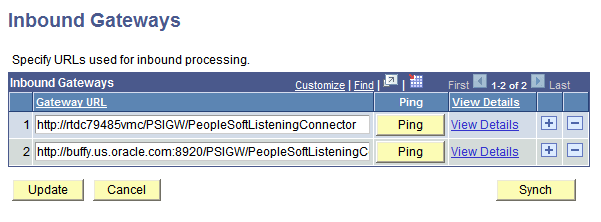
To integration gateway URLs for inbound processing.
-
Access the Inbound Gateways page ( and click the Inbound Gatewaysand click the Inbound Gateways link).
-
Add row to the Inbound Gateways grid by clicking the add a row icon (+).
-
In the Gateway URL field enter a gateway URL in the following format:
http://machinename:port/PSIGW/PeopleSoftListeningConnectorIn this case, machinename:port is the machine name and port, host name, or IP address of the web server hosting the gateway.
-
Click the Update button.
Related Topics