Accessing REST Service Definitions
REST Service definitions appear on the Services page (IB_SERVICEDEFN) in the Service component (IB_SERVICEDEFN).
Use the Services – Search page to search for and access REST definitions in the database.
This example illustrates the Services-Search page.
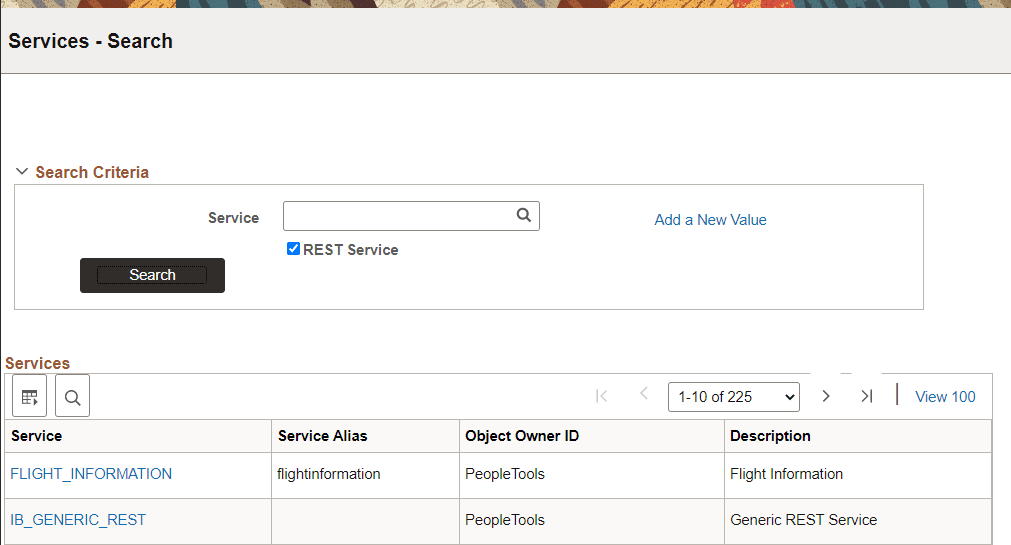
Note that the Services – Search page features a REST Service check box. To access a REST service in the database you must select the REST Service check box. If you do not select the check box, the system searches the database for non-REST services only.
To access a REST service definition:
-
Select
The Services-Search page appears.
-
Select the REST Service check box.
-
Use one of the following methods to search for a definition:
-
To search for a specific service, in the Service field enter the name of the service and click the Search button.
-
To view and select from all REST services in the database, click Search button, and in the results grid select the service to access.
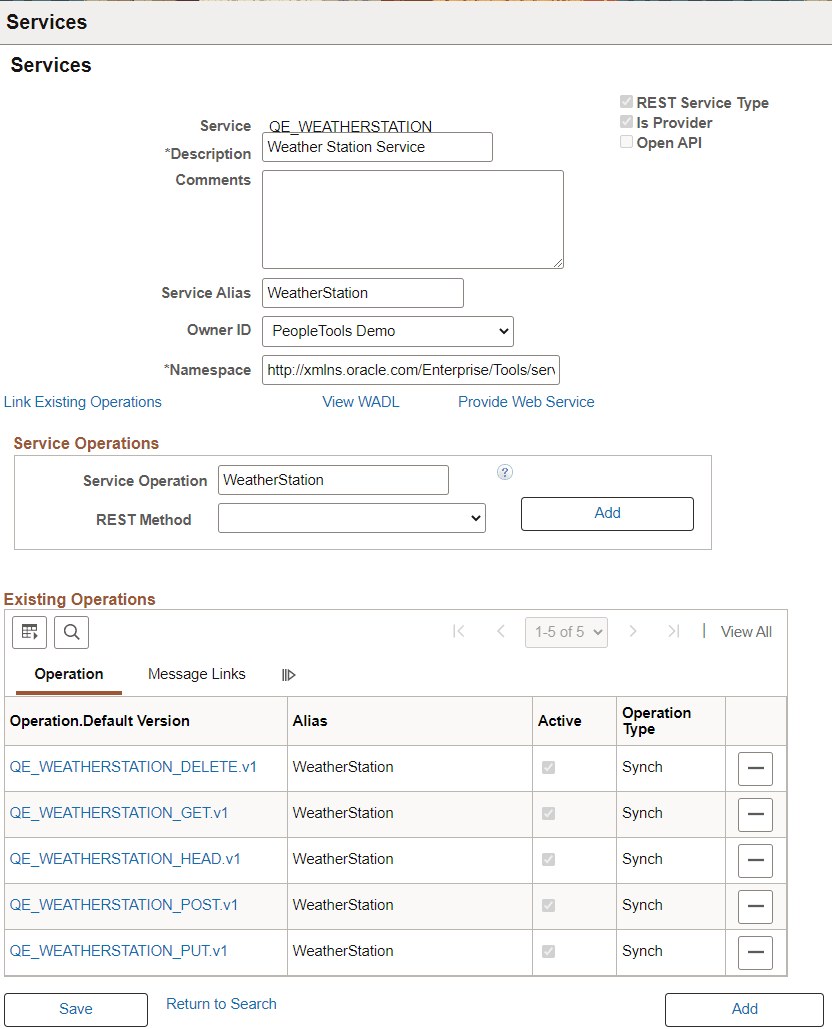
The definition for the selected service appears in the Services page.
-
This example illustrates the services page.
| Field or Control | Description |
|---|---|
|
REST Service Type |
Read Only field to indicate this is a REST service. |
|
Is Provider |
Read Only field that indicates if this is a Provider REST service (selected) or a Consumer REST service (not selected). |
|
Open API |
Read Only field to indicated if this service is Open API. |
|
Link Existing Operations |
Click to add service operations already defined in the system to a service. Note: OpenAPI REST Services can not be linked to existing service operations and this link will not appear. |
|
View Open API |
For Services with Open API enabled, use this link to view the Open API. |
|
View WADL |
For Services where Open API is not enabled, use this link to view the WADL. |
|
Provide Web Service |
Select to launch the Provide Web Services component. |