Adding Routing Definitions From Service Operation Definitions
When working in a service operation definition, you can use the Service Operations – Routings page (IB_SERVICERTNGS) to add a routing definition to the service operation. To access the Service Operations – Routing page select and click the Routings tab.
This example illustrates the Service Operations – Routings page.
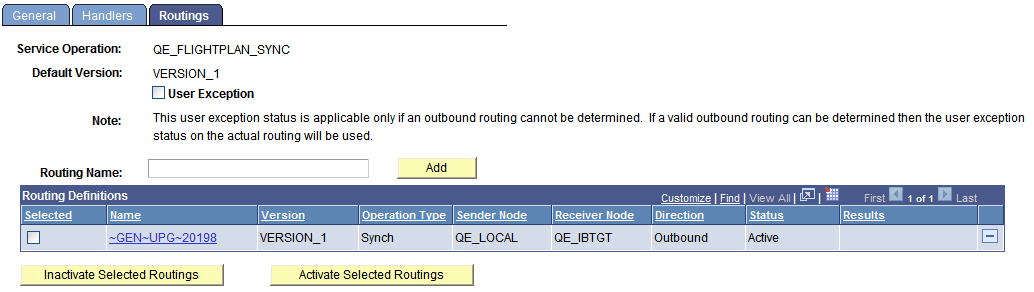
When you are adding a routing definition for a synchronous service operation, the system displays a User Exception check box at the top of the page. Select the check box to capture any exceptions that occur before the system validates an outbound routing for the service operation. This option enables you to capture errors such as inactive routing definitions, multiple routing definitions, any errors that result from running the OnRouteSend PeopleCode event, and other initialization errors. When the User Exception option is enabled and if an exception does occur before a routing can be validated, the system returns a response message to the integration partner that contains the exception.
To add a routing definition from a service operation definition:
-
Access the Service Operations - Routings page ( and click the Routings tab).
-
(Optional.) Select the User Exception check box to capture exceptions before routing validation.
-
In the Routing Name field, enter a name for the routing definition.
-
Click the Add button.
The routing definition is added to the system and the Routing Definitions page appears where you can define the routing details.