Clearing Exported WSDL/WADL Status Flags
The Clear WSDL Status page (IB_HOME_PAGE7_SEC) enables you to clear the internal exported WSDL/WADL status flag for service operations that contain specific messages, or for all service operations in the database.
Note:
Clearing the internal exported WSDL/WADL status flag on a service operation is one way to resolve a WSDL/WADL flag inconsistency. Other options for resolving this condition are discussed elsewhere in this topic.
See Understanding Using Project Copy and Exported WSDL and WADL.
This example shows the Clear WSDL Export Status page
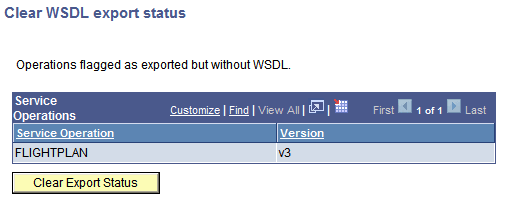
Up to this point, this section has demonstrated accessing the Clear WSDL Export Status page starting from the Export WSDL Inconsistency link on a message definition, and then clicking on the Service Admin link from the Exported WSDL Inconsistencies page. When you access the page using this navigation, only the service operations that reference the message definition that you were originally viewing on the Messages – Message Definitions page appear. Further, those service operations that appear are those that are flagged has having WSDL/WADL exported, but for which there is none in the database.
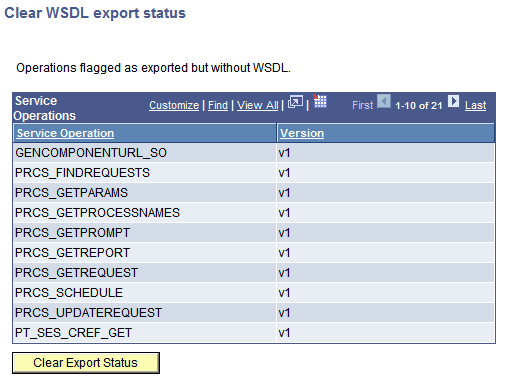
You can also clear the WSDL/WADL export status flag for all service operations in the database that are in the inconsistent state of having been flagged as having WSDL/WADL generated, but no WSDL/WADL exists in the database for them. You can do so by accessing the Service Administration-WSDL page and clicking the Clear WSDL Export Status link.
This example illustrates the Clear WSDL Export Status page. The example shows a list of service operation in the database that have inconsistent WSDL.
To clear the WSDL/WADL exported status flag:
-
Access the WSDL Export Status page using one of the following methods:
-
From a message definition that displays the “Exported WSDL flag inconsistency” status message: Click the Exported WSDL Inconsistency link. The Exported WSDL Inconsistencies page appears. Click the Service Admin link.
-
From the PeopleTools menu: Select The Service Administration page appears. Click the WSDL tab. Click the Clear WSDL Export Status link.
-
-
Click the Clear Export Status button.