Creating Root Resource
Use the Create Root Resource page to create a new root resource.
Select the Create Root Resource button from the Application Service page.
This example illustrates the fields and controls on the Create Root Resource page for a Consumer Application Service. You can find definitions for the fields and controls later on this page.
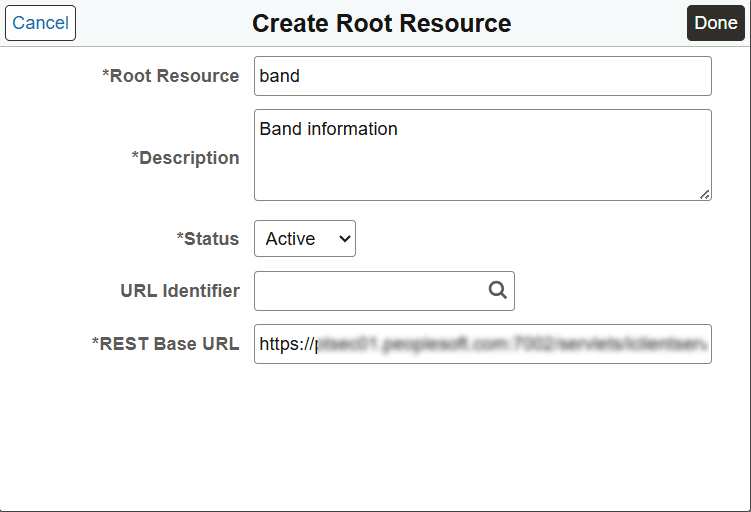
| Field or Control | Description |
|---|---|
|
Root Resource |
The name of the Root Resource defined by the Provider. |
|
Description |
A description of the root resource. |
|
Status |
Status for the root resource. When a root resource is created, the default status is Active. |
|
URL Identifier |
The URL Identifier defined for the REST base URL. If you select a URL Identifier for the Application Service, the REST Base URL field gets automatically populated and becomes read-only. To define the REST Base URL, remove the URL Identifier entry and tab out. Note: You must define either a REST Base URL or URL Identifier to save the Application Service. |
|
REST Base URL |
The base URL as defined by the Provider Integration to be called. If you select a URL Identifier for the Application Service, the REST Base URL field gets automatically populated and becomes read-only. To define the REST Base URL, remove the URL Identifier entry and tab out. Note: You must define either a REST Base URL or URL Identifier to save the Application Service. |
Note:
For the cases where a root resource cannot be established then any root resource name will do as long as it complies with the Oracle naming standards.
Once the root resource is created for the Application Service it is displayed on the page.
This example illustrates the fields and controls on the Application Service page after root resource is created.
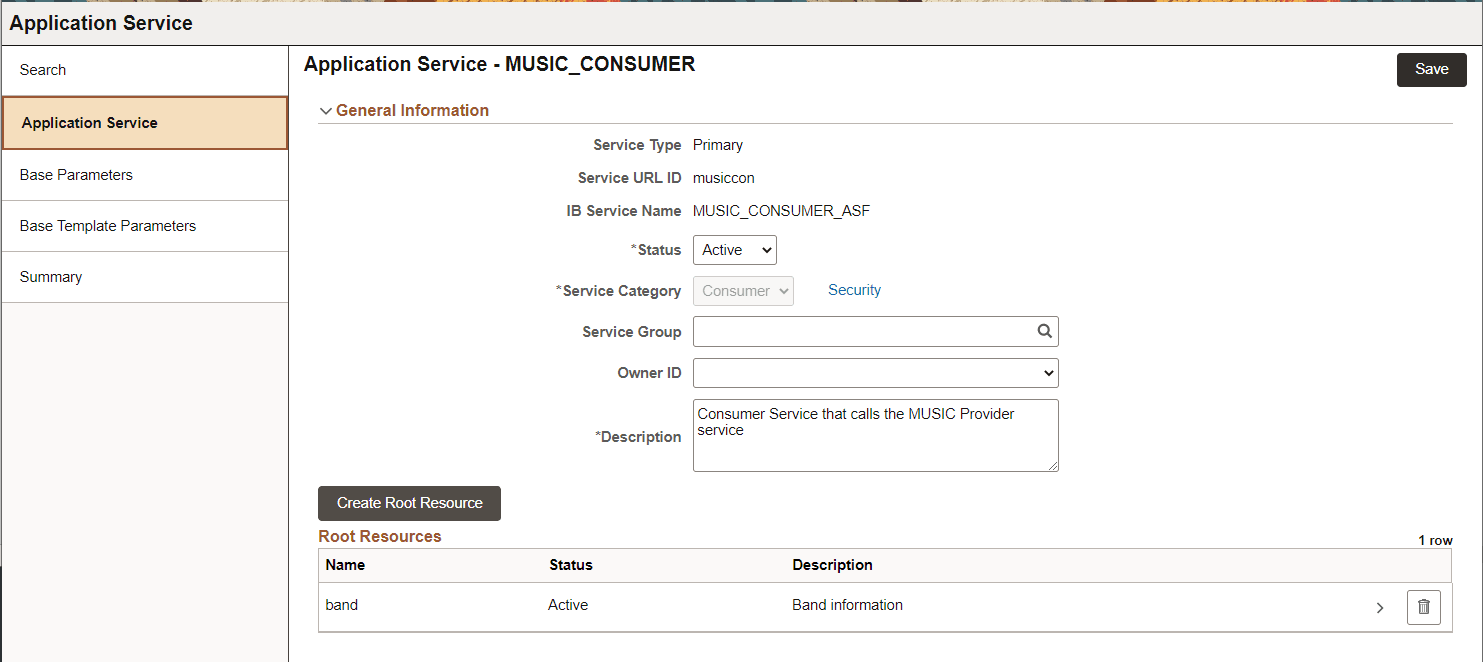
Select the Root Resource name to open the Root Resource page.
This example illustrates the fields and controls on the Consumer Root Resource page.
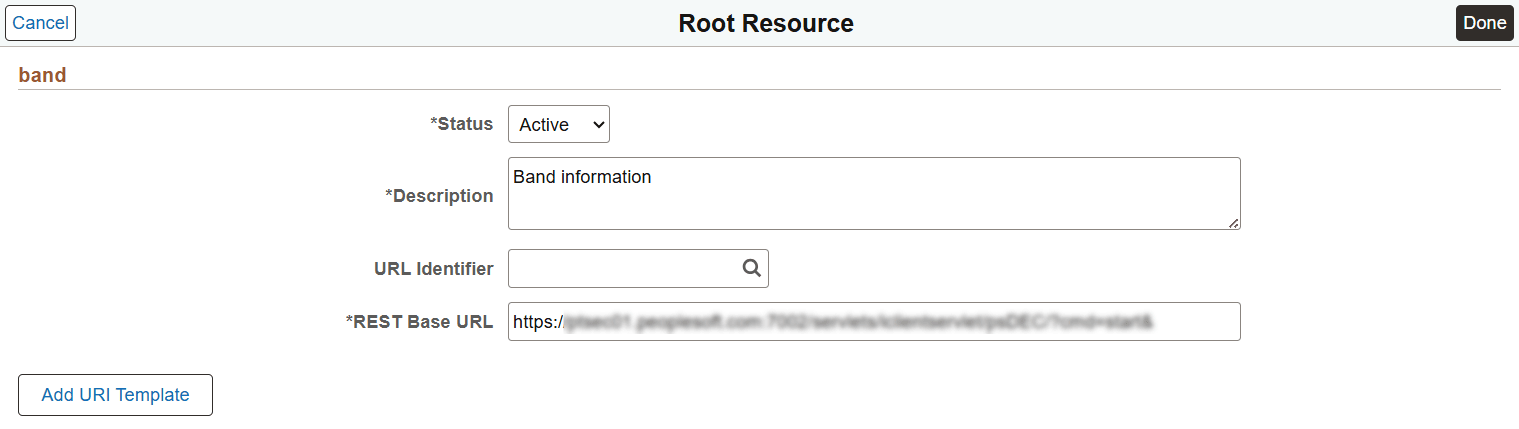
Select the Add URI Template button to define the URI templates for this resource. See Adding URI Templates.