Defining Codesets
Use the Codesets page (IB_CODESET) in the Codesets component. (IB_CODESET). Select to access the Codeset page.
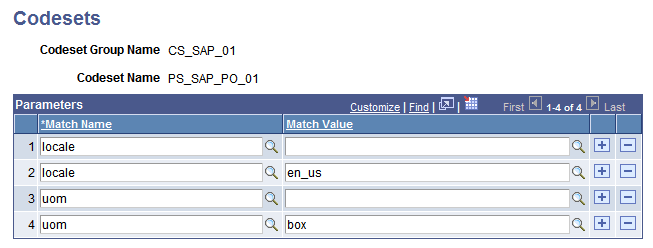
This page illustrates the Codesets page.
To define a codeset:
-
Add a new value and enter a codeset group name on which to base this codeset.
-
Enter a codeset name and click Add.
Enter a name that reflects the purpose of this codeset; for example, SAP_SHIP_METHOD, to translate the representation of a shipping method in a message. The Codesets page appears.
-
Add a new row.
-
Select a match name from the set defined for the associated codeset group.
-
Select a match value from the set defined for the selected match name.
Note:
You can leave the value blank. If so, you should do the same for each match name in this codeset, in addition to any other values you select for them. A combination consisting of all blank values is treated as a wild card by PeopleSoft Integration Broker, which enables it to respond to unanticipated values specified in your translation program with default behavior that you define.
-
Repeat steps 3 through 5 to enter all the name/value pairs that may need to be matched.
The name/value pairs you select should encompass only the possible value combinations that your translation program needs to match for a single translation. You define a different codeset for each translation based on this codeset group.