Selecting Document Parameter
Documents created using Document Builder can be used as a base parameter.
Note:
The Document selected to use for a Document Parameter Data Type must be unique within the Service. If the Document selected is to be reused for another parameter then the Document Parameter should be saved as a Base Parameter so that it can be re-accessed. If the Same Document keys are defined on a different Document Parameter name, a message box will be displayed to inform the developer.
Enter the keys of the document on the parameters details page.
This example illustrates the fields and controls on the Parameters Details page for Document. You can find definitions for the fields and controls later on this page.
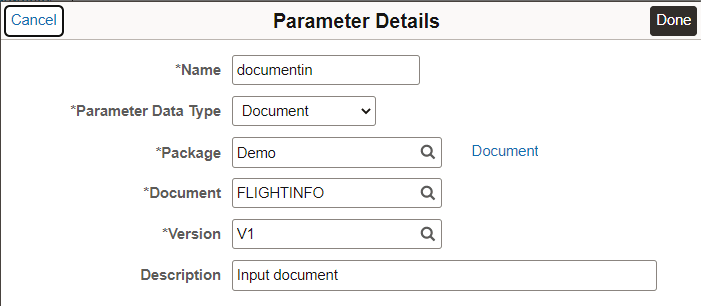
When the keys to the Document are populated a Document link will appear. When selected a new browser tab will be generated which will bring up the actual Document in the Document Builder.
Note:
When the keys of the Document are populated a check is performed to confirm if the Hide Parent Object Label is checked on the JSON details page of the selected Document. If the checkbox is disabled a message will be displayed indicating that the JSON parent object label of the Document will be included as part of the JSON schema generation and runtime generation. To remove the JSON parent object label, the Document needs to be saved with the Hide Parent Object Label checkbox selected.
See Documents Technology: Managing JSON-Formatted Documents.