Adding Reusable Base Parameters
An Application Service can contain several root resources, each with its own set of input and output parameters. Use the Base Parameters page to define a set of parameters that can be reused for any root resource input or output parameters.
Base parameters can also be added directly from the Parameters page when the Application Service method is defined. See Adding Input and Output Parameters.
Select
This example illustrates the fields and controls on the Base Parameters page. You can find definitions for the fields and controls later on this page.
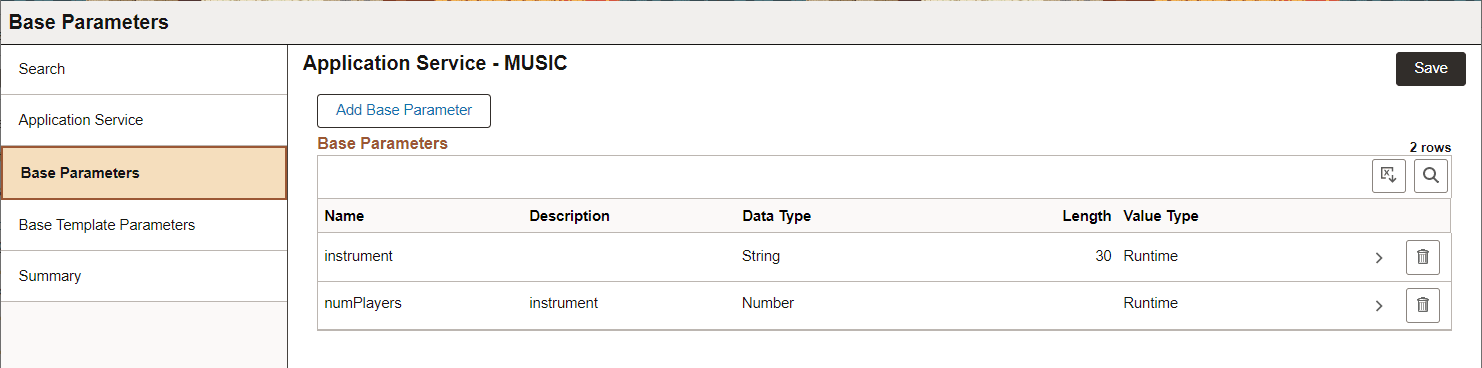
When you select Base Parameters, the existing base parameters are listed. Click Add Base Parameter to add new base parameters.
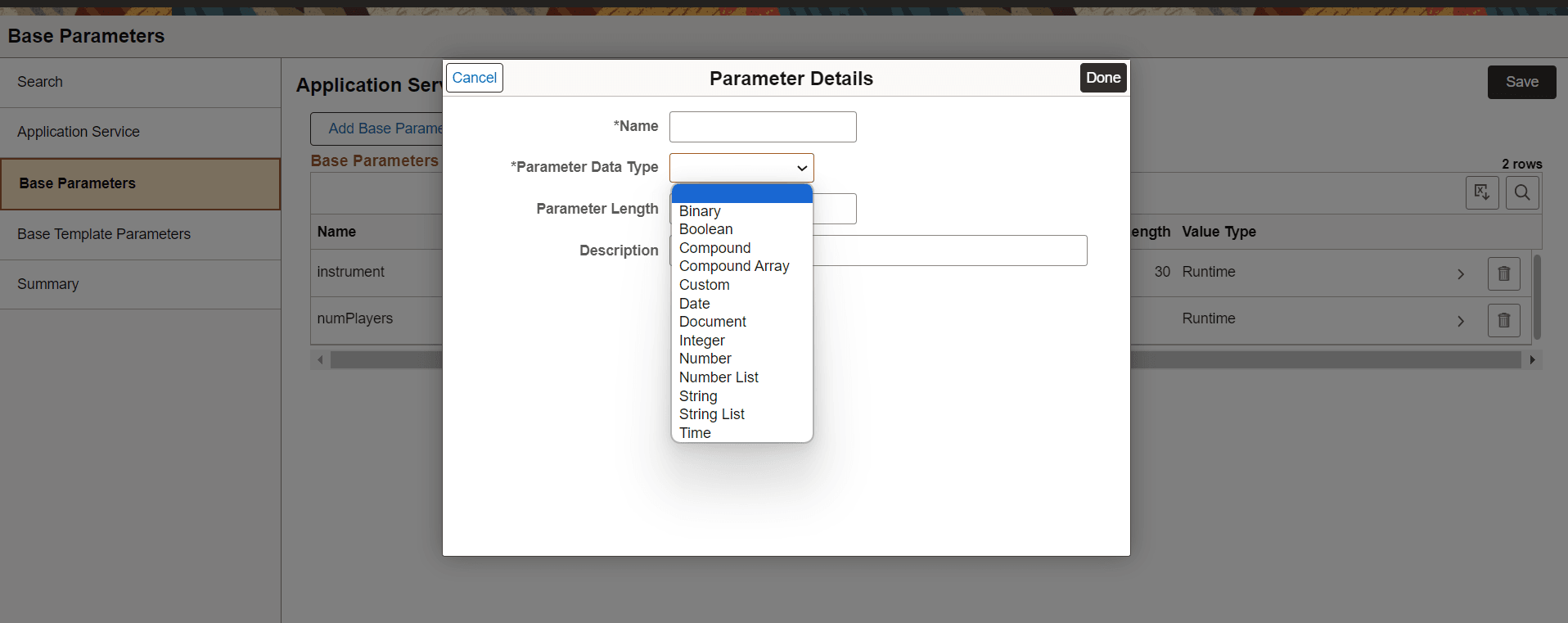
This example illustrates the fields and controls on the Base Parameters Details page. You can find definitions for the fields and controls later on this page.
| Field or Control | Description |
|---|---|
|
Name |
Enter a name for the parameter. The name entered must adhere to Oracle's naming standard. |
|
Parameter Data Type |
Data type for the parameter: Binary, Boolean, Compound, Compound Array, Custom, Date, Document, Integer, Number, Number List, String, String List, or Time. Note: Boolean and Document parameter types are not supported for Chatbot specific integrations. |
|
Parameter Length |
Optional length used for String and String List. |
|
Value Type |
The default value is run time. The other option is Fixed which indicates a constant. Fixed is only valid for data type String or Number. |
|
Package |
For the Parameter Data Type of Document, enter the Document Package name. |
|
Document |
For the Parameter Data Type of Document, enter the Document. |
|
Version |
For the Parameter Data Type of Document, enter the Version. |
|
Description |
Description of the parameter. |
|
JSON Metadata |
For the Parameter Data Types of Compound, Compound Array or Custom the developer must supply a JSON schema to indicate the complex shape of the object. See Supplying JSON Schema |
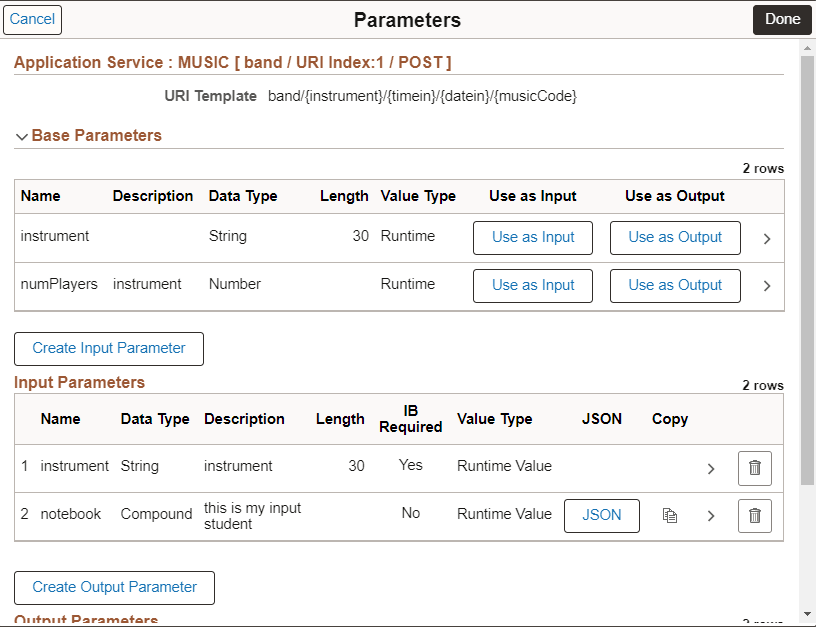
When you select Parameters for the Application Service, the base parameters will be available to use as input or output.
This example illustrates the fields and controls on the Parameters page. You can find definitions for the fields and controls later on this page.