Step 7: Select a Queue for Asynchronous Operations
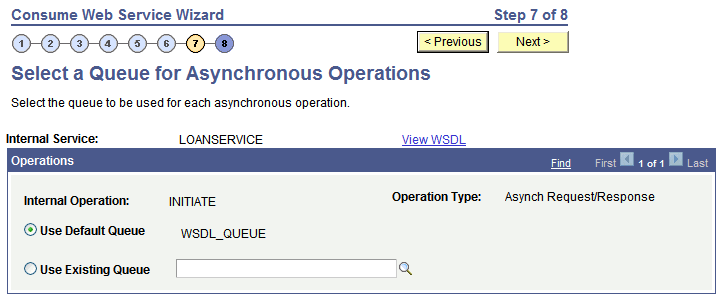
The Select a Queue for Asynchronous Operations page (IB_WSDL_IMP_QUEUE) appears only when you are consuming asynchronous one-way and asynchronous request/response operations.
This example illustrates the Select a Queue for Asynchronous Operations page.
Note:
This page appears only when asynchronous operations are being consumed from the WSDL document.
Use the Select a Queue for Asynchronous Operations page to select a service operation queue for an asynchronous service operation.
PeopleSoft delivers a queue, WSDL_QUEUE, to which it assigns asynchronous service operations by default. However, you can select a different queue to use.
To select a queue for asynchronous operations:
-
Click the Use Existing Queue radio button.
-
From the Use Existing Queue drop-down list box, select the queue to use for the service operation.
-
Click the Next button to proceed to the next step in the wizard.