Defining Copy Compare Report Permission
Use the Copy Compare Report Permission page (SCRTY_ADS_PROFILES) to define the access permission for copying and comparing ADS projects.
Navigation:
Click the Copy Compare Report Permission link on the Data Migration page.
This example illustrates the fields and controls on the Copy Compare Report Permission page. You can find definitions for the fields and controls later on this page.
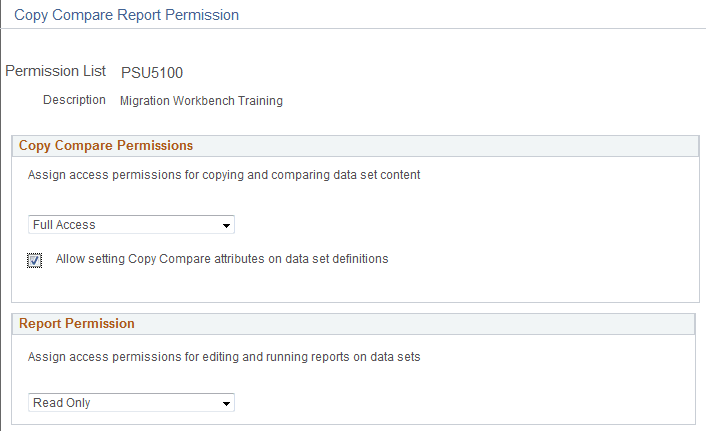
Copy Compare Permissions
Use this section to specify the copy and compare options available.
| Field or Control | Description |
|---|---|
|
Access |
Select the appropriate access level. Options are:
|
|
Allow setting Copy Compare attributes on data set definitions |
The user can set the copy and compare options on the data set definition. This privilege should only be given to architects with a thorough knowledge of the data set definition and its associated data content who would certify data set definitions to be copyable and comparable. A flawed data set definition could corrupt a data base. A partial list of considerations for the architect includes the following items to assess:
|
| Copy Compare Access | Copy to File | Copy from File | Compare from File |
|---|---|---|---|
|
No Access |
No |
No |
No |
|
Read-Only Access |
Yes |
No |
Yes |
|
Full Access |
Yes |
Yes |
Yes |
Report Permission
Use this section to specify permission to run administrative reports.
See Running ADS Administrator Reports
| Field or Control | Description |
|---|---|
|
Access |
Select the appropriate access level. Options are:
|