Setting Upgrade Permissions
In order to copy from file, the user must have all of the appropriate permissions to the records in the file. To simplify this process, you can create a permission list that includes Full Access to Upgrade.
Full access to upgrade allows the user to copy any record without checking the specific authority to that record. Once you create a permission list with this access and assign it to a role, you should limit the number of users who are granted the role.
To assign Full Access to Upgrade:
-
Select .
-
Select the PeopleTools tab.
-
Select the Application Designer check box.
-
Select the Tools Permission link.
-
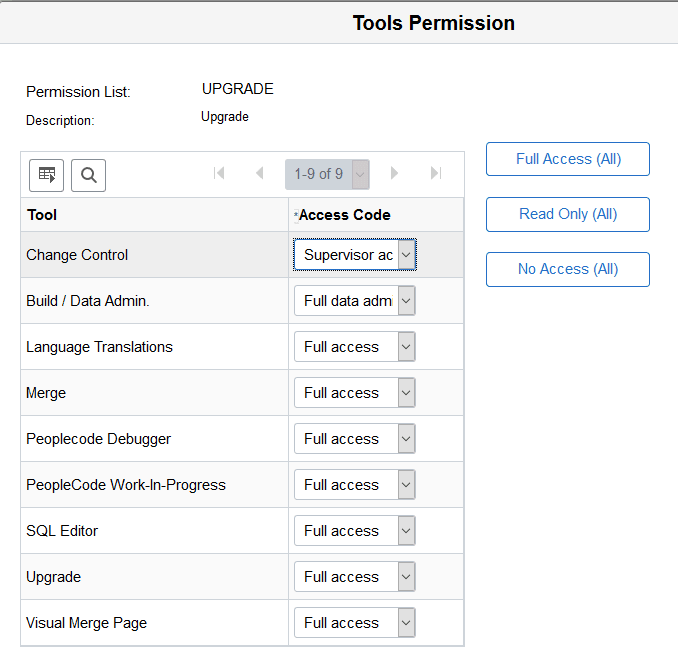
Select Full Access for Upgrade.
-
Click OK and the save the page.
This example illustrates the fields and controls on the Tools Permission page.
Related Topics