Defining Chat Responses
Access the Chat Responses page using the following navigation path:
This example illustrates the fields and controls on the Chat Responses page. You can find definitions for the fields and controls later on this page.
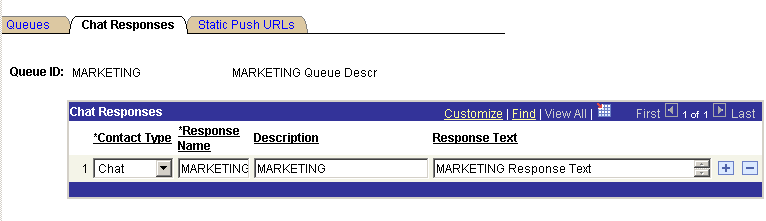
Chat responses that are specified on this page are available to all agents who are signed in to this queue.
| Field or Control | Description |
|---|---|
|
Contact Type |
Select one of the following contact types:
|
|
Response Name |
The response name appears in the agent's Template Messages drop-down list box for all agents who belong to a physical queue on this logical queue All chat responses are downloaded when the agent launches the agent chat console by accepting a customer chat. Template messages are not available in collaborative chat. |
|
Response Text |
The specified message appears in the client chat window when selected by the agent. |