Personalizing Chat
Access the Personalize Chat page using the following navigation path:
This example illustrates the fields and controls on the Personalize Chat page. You can find definitions for the fields and controls later on this page.
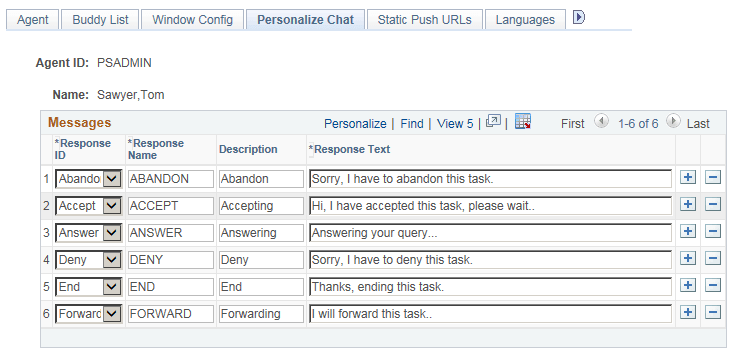
An agent can create personalized responses in addition to the system responses that are defined for each queue.
| Field or Control | Description |
|---|---|
|
Response ID |
Responses, except those that are identified by Other, are linked to specific events. These responses are always sent on these events from this agent. If an agent does not have a customized response for a specific event, the response is read from a default value that is set in the Message Catalog. The response text that is set here overrides the default text that is set in the Message Catalog. Select from:
|
|
Response Name |
This name appears in the agent's template response drop-down list box. |
|
Response Text |
Enter the response text to appear in the chat window. |