Setting Up Buddy Lists
Access the Buddy page using the following navigation path:
This example illustrates the fields and controls on the Buddy page. You can find definitions for the fields and controls later on this page.
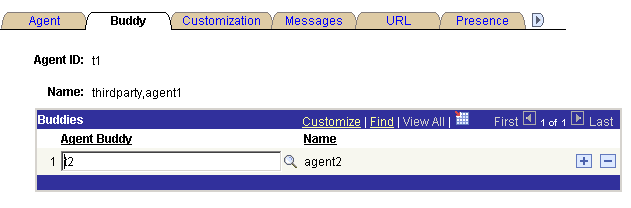
The agent's buddy list facilitates collaborative chat and chat conferencing.
| Field or Control | Description |
|---|---|
|
Agent Buddy |
Select another agent with whom this agent can have a chat session or can ask to conference onto another chat. |
|
Name |
Displays the buddy agent's nickname. The name appears in the buddy list on the MultiChannel Console or agent chat window. |
An agent's presence as shown in the buddy list on the MultiChannel Console or on the Invite Agent list on the chat console indicates the agent's availability for chat or conference.