Using the URL Wizard
Click Select from the agent chat window during a chat session to open the URL wizard:
This example illustrates the fields and controls on the URL Wizard page. You can find definitions for the fields and controls later on this page.
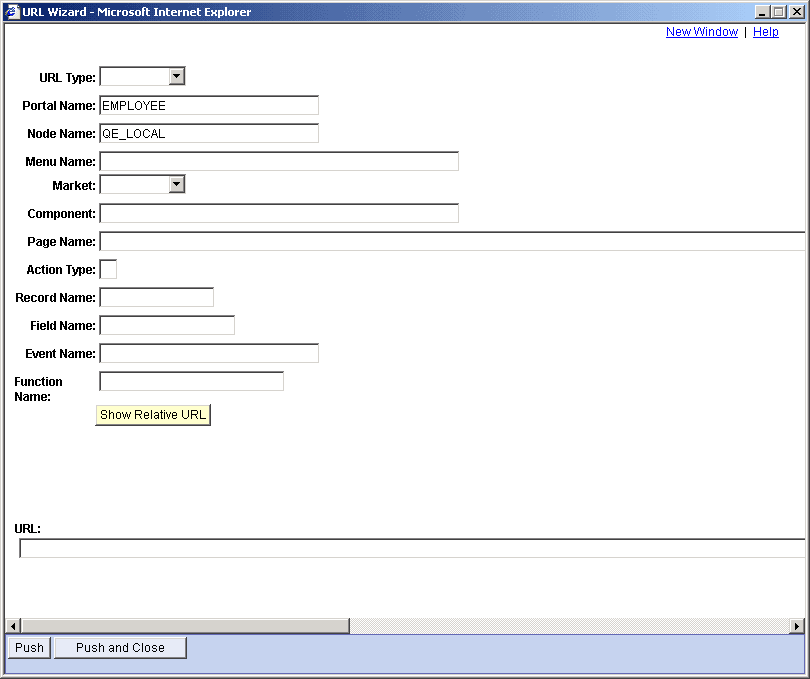
Use the wizard to form a URL to send to the customer. The URL Wizard page is a template that demonstrates constructing a URL and sending it to a customer. The URL wizard can be used as is or as the basis for developing URL generation for your application.
| Field or Control | Description |
|---|---|
|
URL Type |
Select the type of URL that is being accessed. Values are:
Fields that are not required by the selected URL type are not available. |
|
Show Relative URL |
Click to display the relative URL that is generated by the values that you have entered into the page's fields. |
|
URL |
Displays the generated relative URL. |
|
Push |
Click to send the generated relative URL to the customer's chat window. The Push button demonstrates functionality that must be included in an application-specific URL wizard. |
|
Push and Close |
Click to send the generated relative URL to the customer's chat window and close the URL wizard. The Push and Close button demonstrates functionality that must be included in an application-specific URL wizard. |