Including Chart Only View and Search Options on the Application Page
To include the Chart Only view and the search options of the In Process Applicants Pivot Grid model in the Job Openings application page:
-
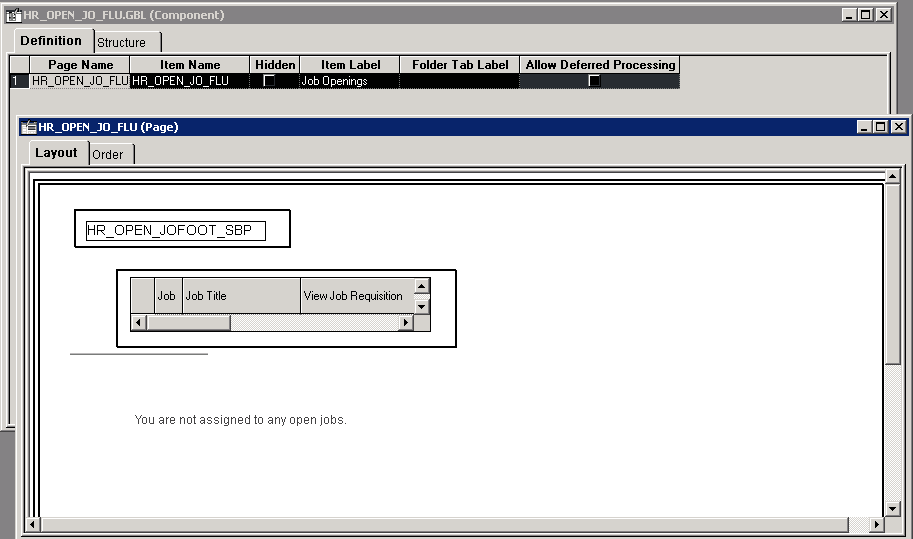
In Application Developer, open the application page for job opening HR_OPEN_JO_FLU.
This example shows the Application Developer with the application page HR_OPEN_JO_FLU opened.
-
Insert the system search subpage PTS_NUI_SRCHSBP at level 0.
Because the system search subpage PTS_NUI_SRCHSBP is not the search page, you should hide it using the psc_hidden style in the group box around this subpage.
-
Insert the chart area PTS_NUI_CHARTAREA into the application page.
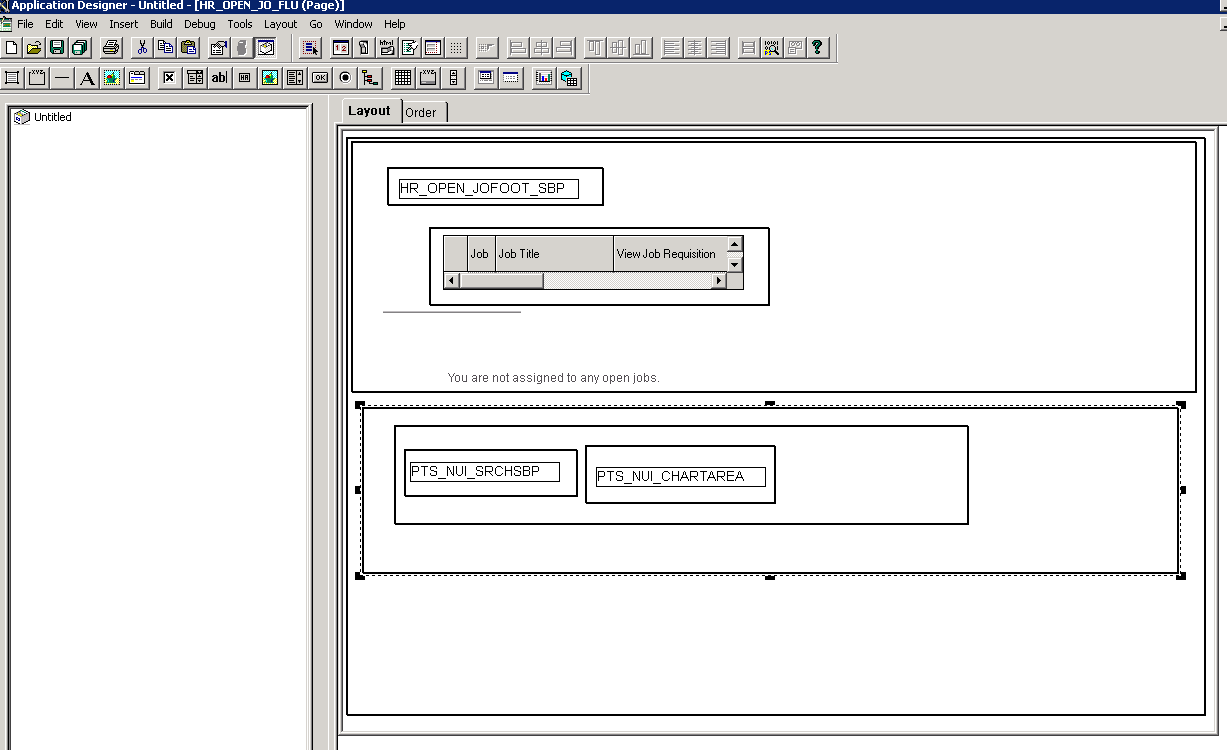
This example shows the system search subpage PTS_NUI_SRCHSBP and chart area PTS_NUI_CHARTAREA inserted into the application page.
-
Add the following page activation PeopleCode to the application page HR_OPEN_JO_FLU.
Note:
The name of the global variables has to match the one shown below. The APIs are reused for component searches as well as Fluid views in Pivot Grid, therefore the name of the classes and packages are named as follows in the sample code.
Important:
The ComponentLife variable scope shown in the following example is valid in custom fluid search pages only. Custom fluid search page is a custom search page which replaces the PeopleTools-delivered PTS_NUI_SEARCH page. The ComponentLife scope is not valid or supported in any other context.
import PTS_SEARCH:PivotGridSearch; import PTS_SEARCH:BaseSearch; import PTS_SEARCH:Factory:DeviceSearchFactory; ComponentLife PTS_SEARCH:BaseSearch &srch; ComponentLife PTS_SEARCH:PivotGridSearch &srchPivotGrid; ComponentLife string &sSrchPageName; Declare Function HideChartSwitcher PeopleCode PTPG_NUI_WRK.PTPG_SHOWCHART FieldFormula; Local PTS_SEARCH:Factory:DeviceSearchFactory &deviceFactory = create PTS_SEARCH:Factory:DeviceSearchFactory(); /*Initiate the pivot grid object. Pass the model and view name. The third parameter is empty for non-search views*/ &srchPivotGrid = &deviceFactory.GetPivotGridSearchObject(<Pivot Grid Name>, <View Name>, “”); &srchPivotGrid.loadJavaScript_CSS(); &srch = &srchPivotGrid; &srch.bUsePhoneLayout = &deviceFactory.bUsePhoneLayout; &srch.SetSearchType("R"); &srch.bViewerMode = True; &sSrchPageName = %Page; &srch.SetSearchPageName(&sSrchPageName); /*Initiate the layout*/ &srch.Initiate(); /*Render the model*/ &srch.DoSearch(); /*Hide the chart on/off switcher. This is needed only for search view, not for pivot grid view.*/ HideChartSwitcher(); -
Optionally, enable the Options Menu. See Enabling the Options Menu.
-
Return to the application fluid page Job Openings.
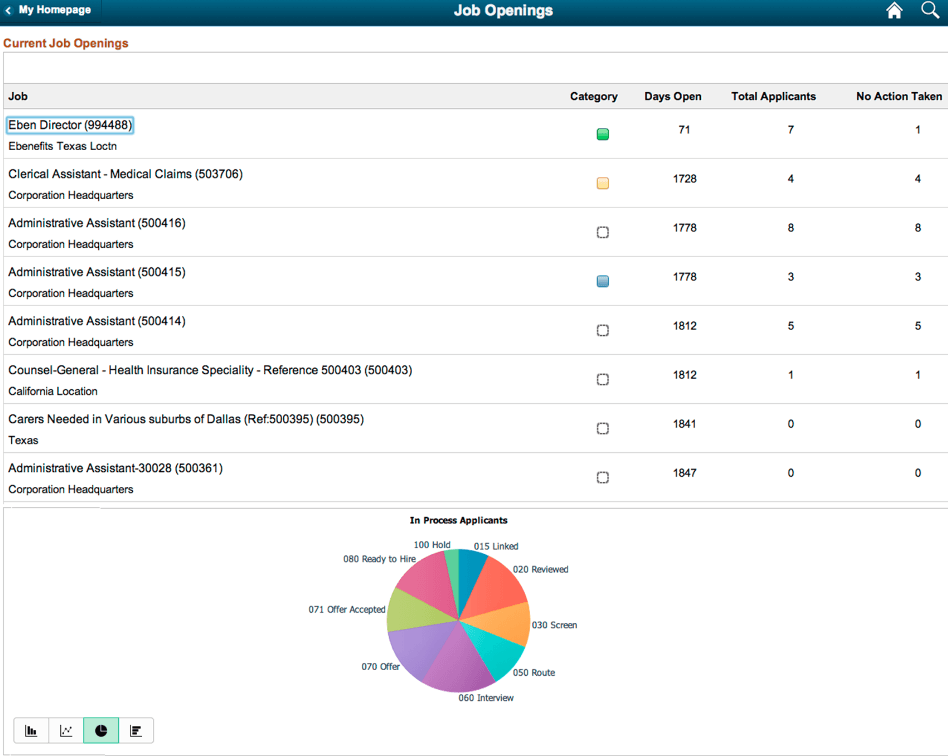
This example shows the rendered application fluid page Job Openings after the chart and the search options were inserted into the application page.
-
Optionally, you can change the chart types and other chart options using the application fluid page.