Selecting a Data Source
Use the Select Data Source page (PTPPB_WIZ_DATASRC) to select the pagelet data source type that will be used for the pivot grid and to select the Pivot Grid model to be created as a pagelet.
Navigation:
Access the Select Data Source page by clicking the Next button on the Specify Pagelet Information page.
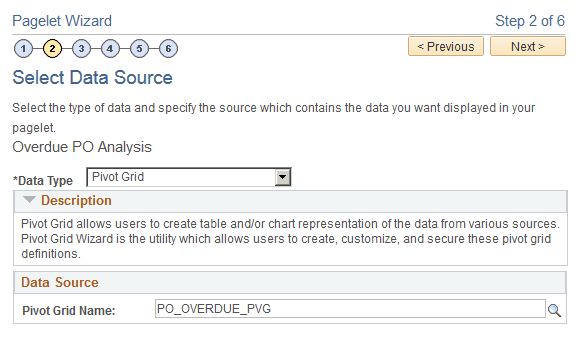
This example illustrates the fields and controls on the Select Data Source page. Definitions for the fields and controls appear following the example.
| Field or Control | Description |
|---|---|
|
Data Type |
Select the data type Pivot Grid. |
|
Pivot Grid Name |
This field appears after you select the data type Pivot Grid. Click the search icon to select a pivot grid from existing pivot grids. |
|
Next |
The Next button is available after you select a pivot grid from the Pivot Grid Name field. Click this button to advance the wizard to the next page. |