Adding Remote Nodes to the Integration Network
Once content provider nodes have been defined in the portal system, only default local nodes need to be added to the integration network to complete the network configuration.
Note:
If you added default local nodes from the content provider systems to the integration network previously, then you will not need to complete this procedure.
See Configuring the Integration Gateway.
To add default local nodes from the content provider systems to the integration network:
-
Access the Configure Unified Navigation navigation collection. (See Configure Unified Navigation Fluid Navigation Collection.)
-
In the Configure Unified Navigation navigation collection, select the IB Network Status link to open the integration network's Configuration Status page.
-
Click the Node Network Configured link.
-
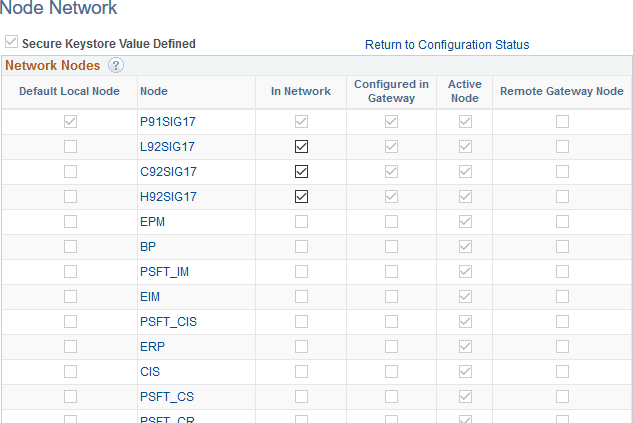
For each remote node that is a default local node, select the check box to make the node in network.
This example illustrates the Node Network page showing six default local nodes as in-network.
-
Save the changes to the integration network.